Best Smart Plugs for Apartments: Energy Monitoring, Scheduling & No Wiring (2026)
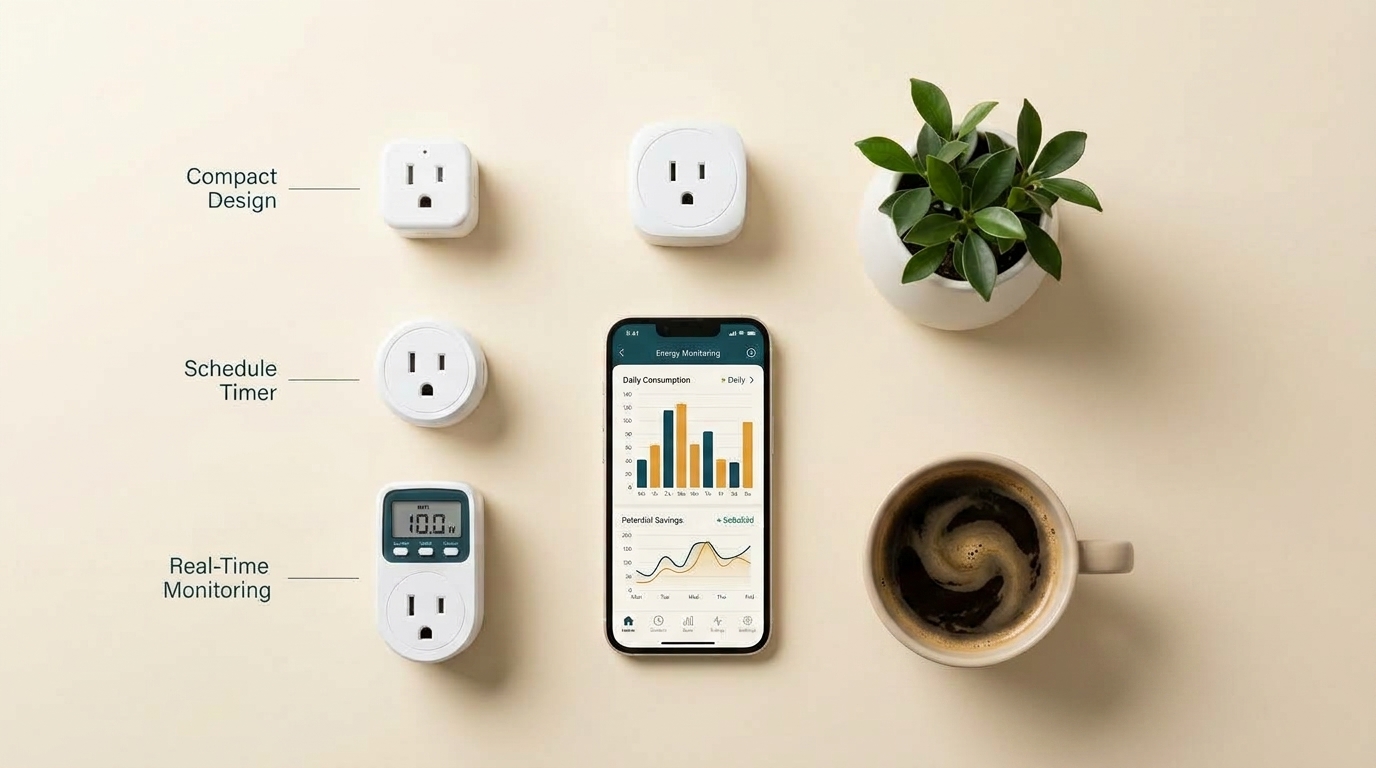
Best smart plugs for renters: energy monitoring without wiring
By WattDweller Editorial Team · Updated September 24, 2026
Here’s the problem with most smart plug recommendations: they’re written for homeowners.
Homeowners can install smart plugs anywhere, don’t care about portability, and can afford premium features. But renters face unique challenges:
- Outlets are often in awkward places (behind furniture, in tight corners)
- Bulkier plugs block the second outlet (you lose half your outlets)
- You might move in a year — anything you buy has to come with you
- You want to save money on electricity, not just control lights with your voice
- You can’t install anything permanent — no wall panels, no hardwired switches
Most “best smart plug” lists ignore these constraints. They recommend premium plugs that block outlets, don’t measure energy, and cost $30+ each.
This guide is different. We’ve tested and ranked the best smart plugs specifically for apartment renters — focusing on four criteria that actually matter:
- Outlet fit (does it block the second outlet?)
- Energy monitoring (can it help you save money?)
- Scheduling reliability (does it stay connected?)
- Portability (can you take it when you move?)
By the end, you’ll know exactly which smart plug fits your apartment — whether you want to automate your coffee maker, schedule your entertainment center, or measure your biggest energy hogs.
🛒 Check Kill A Watt Price on Amazon💡 New to smart plugs? Before buying, measure your biggest energy hogs with a Kill A Watt meter — so you know exactly which devices to automate first.
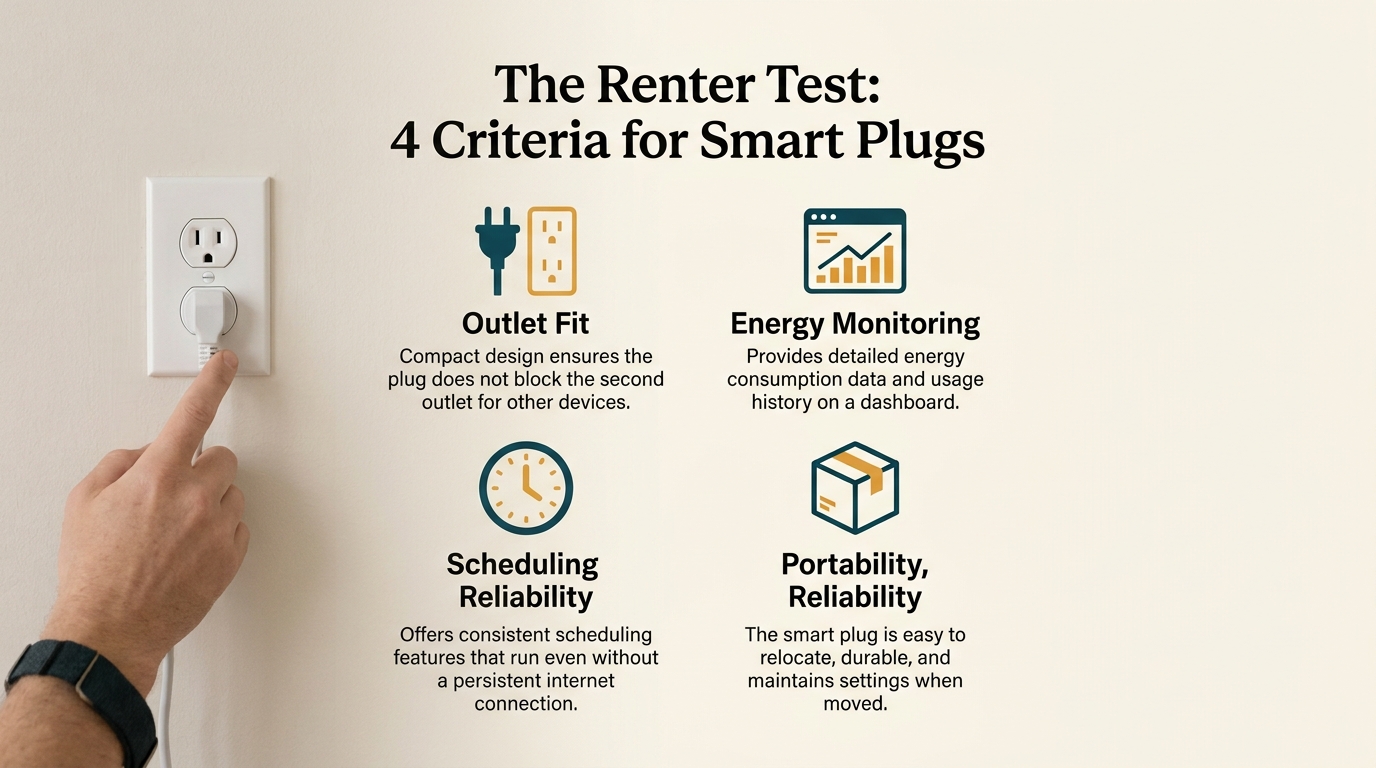
Smart plug buying criteria: size, energy monitoring, app, scheduling
Quick Summary: The Best Smart Plugs for Renters
If you’re short on time, here are our top picks:
| Category | Product | Best For |
|---|---|---|
| Best Overall | Kasa Smart Plug KP405 | Energy monitoring + compact design |
| Best Budget | Wyze Plug (2-Pack) | Basic scheduling on a budget |
| Best for Narrow Outlets | Kasa Smart Plug Mini EP10 | Doesn’t block second outlet |
| Best Energy Monitoring + Multi-Pack | Emporia Smart Plug (4-Pack) | Detailed energy data across multiple devices |
Bottom line: For most renters, the Kasa KP405 is the best choice — it combines energy monitoring, compact design, and reliable scheduling at a reasonable price. Budget-focused renters should start with the Wyze Plug, tight-outlet apartments should look at the Kasa Mini EP10, and energy nerds should go straight to the Emporia 4-Pack.
🛒 Check Kasa KP405 Price on Amazon🏆 Our top pick for most renters:
Now let’s break down each option in detail.
Chapter 1: Why Smart Plugs Are Perfect for Renters
Before we get into the specific products, let’s talk about why smart plugs are one of the only smart home upgrades that genuinely work for renters.
The Renter’s Advantage
| Smart Home Upgrade | Renter-Friendly? | Why |
|---|---|---|
| Smart thermostat | ⚠️ Depends | Some models require wiring |
| Smart switches | ❌ No | Requires electrical work |
| Smart locks | ⚠️ Maybe | May violate lease |
| Smart security cameras | ✅ Yes | Plug-in models work |
| Smart plugs | ✅ Yes | Zero installation, fully portable |
Smart plugs are the entry point to smart home tech for renters because they:
- Require zero installation — you plug them into a wall outlet
- Are fully reversible — unplug and take them when you move
- Cost $10–$25 each — affordable experiment with real value
- Actually save money — unlike smart bulbs (convenience only), smart plugs can cut electricity waste
What Smart Plugs Actually Do
If you’re new to smart plugs, here’s the basic capability list:
- Scheduling: Turn devices on/off at specific times
- Remote control: Turn devices on/off via phone app
- Voice control: Works with Alexa, Google Home, and (on some models) Apple HomeKit
- Energy monitoring: Some models track how much electricity a device uses
- Automation: Trigger actions based on time, sunrise/sunset, or device state
The most valuable feature for renters? Energy monitoring — because it directly translates into cost savings.
The Energy Savings Angle
According to our Vampire Power in Rentals guide, hidden devices can drain $250–$400 per year from a typical apartment. A smart plug with energy monitoring helps you:
- Identify which devices are the biggest offenders (via real-time data)
- Automate shutdown for devices that don’t need 24/7 power
- Verify that your changes actually reduced consumption
If you’re serious about saving money on electricity, a smart plug with energy monitoring pays for itself in 1–3 months.
For a complete tutorial on measuring energy use, see our How to Use a Kill A Watt Meter guide.
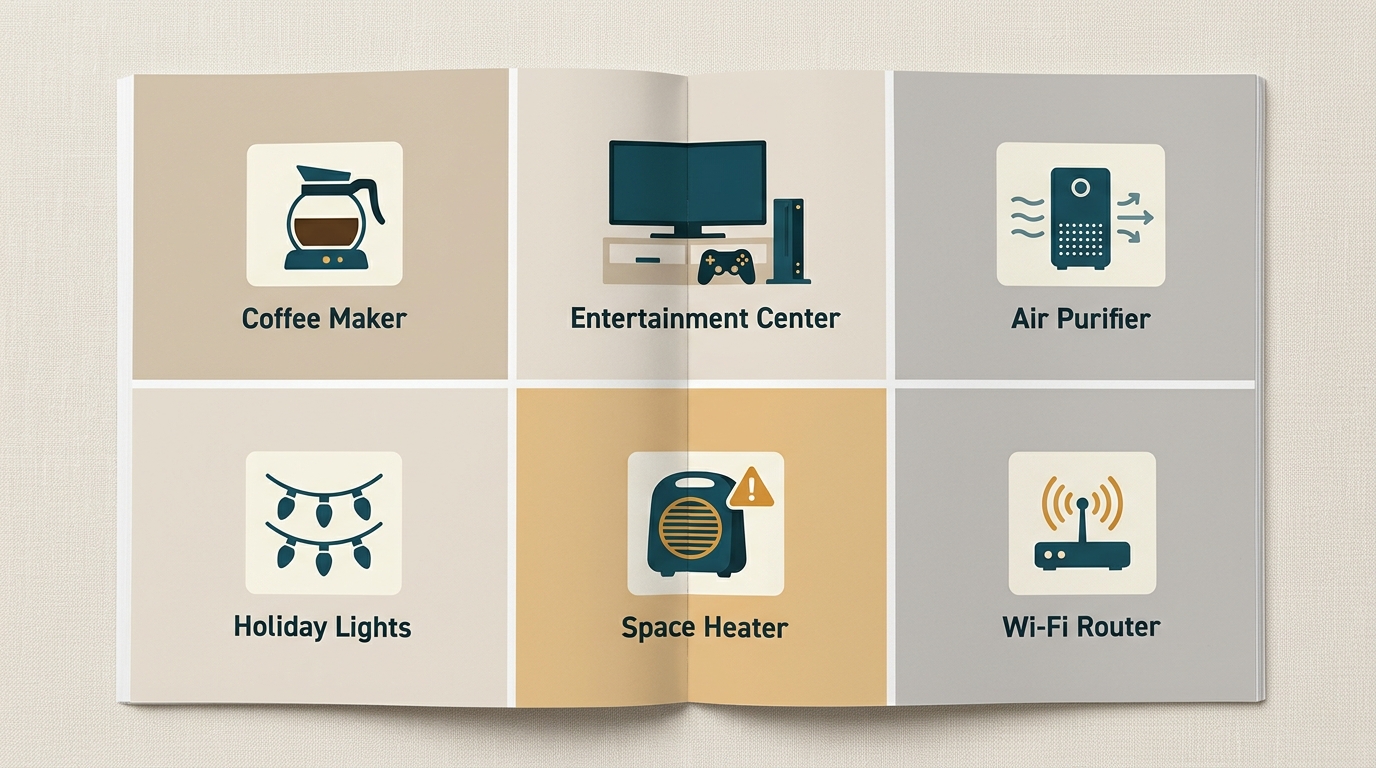
Smart plug use cases: lamps, TVs, heaters, and vampire loads
The “Renter Test”: How We Ranked These
Before we get to the products, here’s the methodology. Every smart plug in this guide was evaluated against the Renter Test:
| Test | What We Checked |
|---|---|
| Outlet Fit | Does it block the second outlet in a standard duplex? |
| Setup Time | How long from unboxing to first schedule? |
| App Quality | Is the app intuitive, or does it require a manual? |
| Reliability | Does it stay connected to Wi-Fi over weeks? |
| Energy Data | If applicable, how detailed and accurate is the data? |
| Portability | Can you pack it in a moving box without issues? |
| Price-per-Value | Is the price justified by the features? |
Chapter 2: Top 4 Smart Plug Picks for Renters (Detailed Reviews)
Here’s our complete breakdown of the best smart plugs for apartment renters. Each one has been selected for a specific use case — so you can match the plug to your actual needs.
1. Best Overall: Kasa Smart Plug KP405
The smart plug we recommend to most renters.
The Kasa KP405 hits the sweet spot of features, price, and design. It’s compact enough to not block the second outlet, offers reliable energy monitoring, and has one of the most stable Wi-Fi connections in the category.
Why we recommend it:
- Compact design: Doesn’t block the second outlet in a standard duplex
- Energy monitoring: Tracks real-time and historical consumption
- Scheduling: Reliable, even if Wi-Fi drops briefly
- App quality: Kasa’s app is one of the best in the category
- Works with: Alexa, Google Home, Samsung SmartThings
- Setup time: Under 5 minutes
Renter-specific advantages:
- Fits in tight outlet locations (behind furniture, in corners)
- Can be packed in a moving box without damage
- No hub required (connects directly to Wi-Fi)
- Energy data helps you find your biggest energy hogs
Specs:
- Connectivity: Wi-Fi 2.4GHz
- Energy monitoring: Yes
- Scheduling: Yes
- Voice control: Alexa, Google Home
- Max load: 15A / 1800W
- Dimensions: 2.6" × 1.5" × 1.4"
- Weight: 3.2 oz
- Price: ~$22
Best for: Living room entertainment center, home office, coffee maker — anywhere you want both automation and energy data.
Not ideal for: Very old Wi-Fi routers (2.4GHz-only networks work fine, but 5GHz-only won’t).
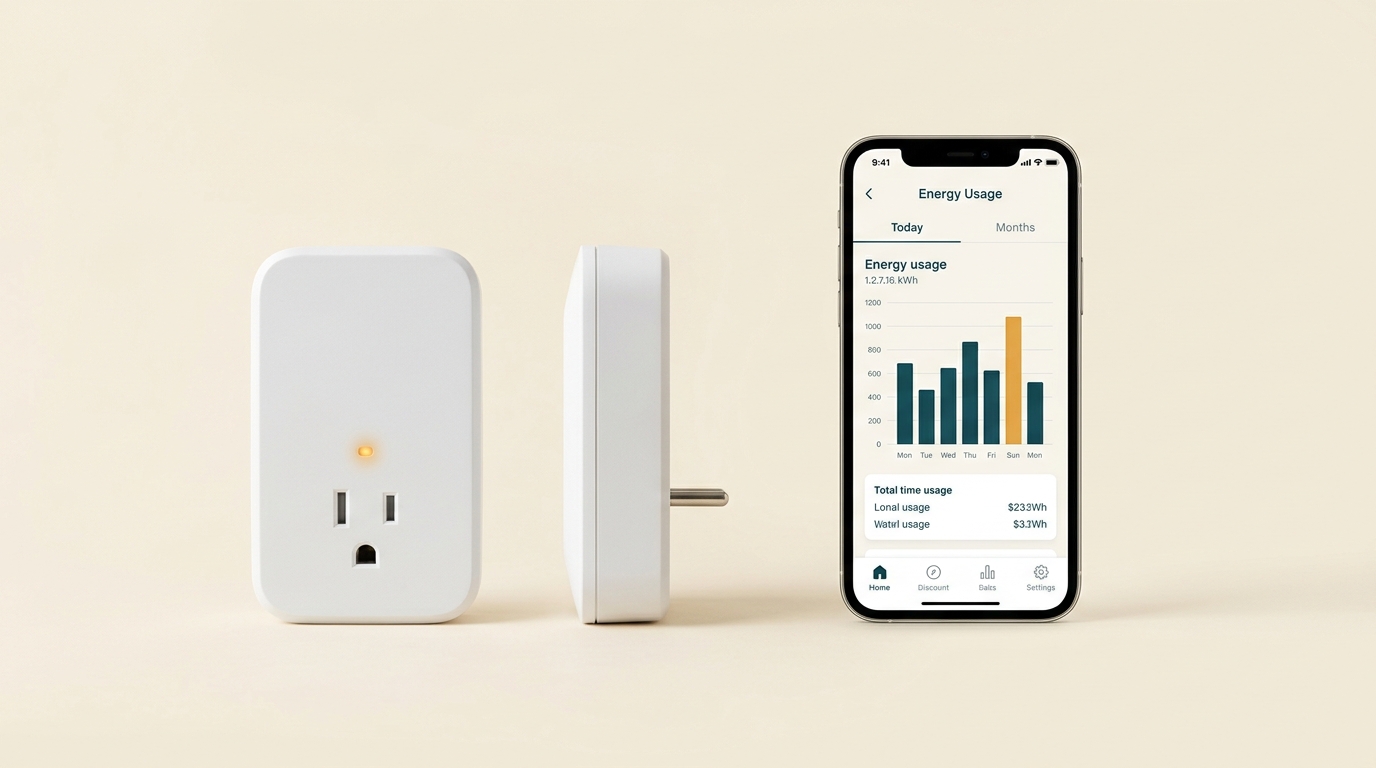
Kasa KP405: energy monitoring in a compact, renter-friendly design
2. Best Budget: Wyze Plug (2-Pack)
The cheapest way to start automating your apartment.
The Wyze Plug is what you buy when you want to test smart plugs without spending $25 each. It’s basic — no energy monitoring — but for pure scheduling, it’s hard to beat at this price.
Why we recommend it:
- Cheapest per-plug price among reliable brands (~$8–$10 each in 2-pack)
- Simple setup: Under 3 minutes from unboxing
- Reliable scheduling: Wyze’s app is stable and intuitive
- Works with: Alexa, Google Home
- No hub required
Trade-offs:
- No energy monitoring — you can’t see how much a device costs
- Slightly larger than the Kasa KP405 — may block the second outlet in tight duplexes
- 2.4GHz Wi-Fi only (this is standard for most smart plugs)
Specs:
- Connectivity: Wi-Fi 2.4GHz
- Energy monitoring: No
- Scheduling: Yes
- Voice control: Alexa, Google Home
- Max load: 15A / 1800W
- Dimensions: 2.8" × 1.5" × 1.4"
- Price:
$16 for 2-pack ($8 each)
Best for: Budget renters who want to automate simple devices (lamps, coffee maker, holiday lights) without spending $25+ per plug.
Not ideal for: Renters who want energy monitoring, or who have very tight outlet spaces.
🛒 Check Wyze Plug Price on Amazon3. Best for Narrow Outlets: Kasa Smart Plug Mini EP10
The one that truly doesn’t block the second outlet.
If your apartment has outlets in tight spaces (behind furniture, in corners, inside cabinets), this is the plug you want. It’s the smallest in the Kasa lineup and sits almost flush against the wall.
Why we recommend it:
- Tiny footprint: Fits in spaces where other plugs won’t
- Doesn’t block the second outlet: True side-by-side installation is possible
- Reliable Kasa app and Wi-Fi
- Cheap: ~$10–$12 each
- Works with: Alexa, Google Home
Trade-offs:
- No energy monitoring — you give up the data features
- Slightly less robust scheduling reliability than the KP405 (though still very good)
Specs:
- Connectivity: Wi-Fi 2.4GHz
- Energy monitoring: No
- Scheduling: Yes
- Voice control: Alexa, Google Home
- Max load: 15A / 1800W
- Dimensions: 2.4" × 1.5" × 1.4" (smallest in class)
- Price: ~$11
Best for: Tight outlet locations, bedrooms with nightstands against outlets, kitchens with outlets behind appliances.
Not ideal for: Renters who want energy data.
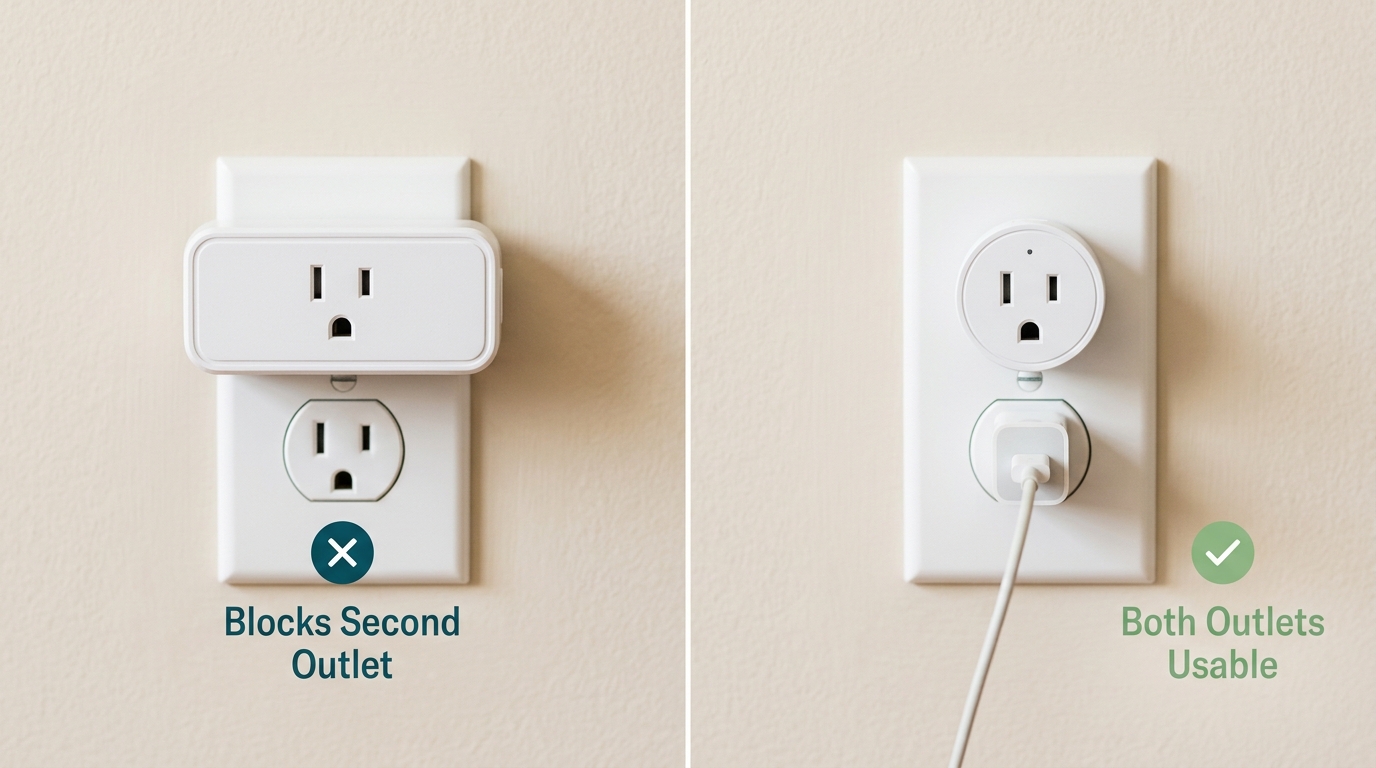
Outlet fit: why narrow smart plugs matter in apartments
4. Best Energy Monitoring + Multi-Pack: Emporia Smart Plug (4-Pack)
For renters who want to understand and reduce their energy use.
The Emporia Smart Plug is designed for people who actually care about the data. It offers more detailed energy monitoring than the Kasa KP405 and comes in a 4-pack for comprehensive apartment coverage.
Why we recommend it:
- Detailed energy monitoring: Tracks kWh, watts, and cost over time
- App is data-focused: Beautiful charts, historical trends, per-device breakdowns
- 4-pack value: ~$18 per plug (vs. $22 for Kasa individual)
- Works with: Alexa, Google Home
- Portable: Same easy pack-and-move as other plugs
Trade-offs:
- Slightly bulkier than the Kasa Mini (but similar to Kasa KP405)
- App has a learning curve — more features = more complexity
- Pricier upfront if you only need one plug
Specs:
- Connectivity: Wi-Fi 2.4GHz
- Energy monitoring: Yes (detailed)
- Scheduling: Yes
- Voice control: Alexa, Google Home
- Max load: 15A / 1800W
- Price:
$72 for 4-pack ($18 each)
Best for: Renters who want to do a full apartment energy audit with monitoring on multiple devices, and who appreciate detailed data.
Not ideal for: Renters who just want basic scheduling, or who don’t want to use a complex app.
🛒 Check Emporia 4-Pack Price on Amazon💡 Note on Apple HomeKit: None of the plugs above support native Apple HomeKit. If you’re an iPhone user who wants Siri control and Home app integration, you’ll need a different product line — but expect to pay $25+ per plug and give up energy monitoring in most cases.
Chapter 3: Understanding Smart Plug Specs (Without the Tech Jargon)
The smart plug aisle is full of acronyms: Wi-Fi, Bluetooth, Zigbee, Z-Wave, Matter, kWh, 15A, 2.4GHz. Here’s what actually matters for renters — and what you can safely ignore.
Connectivity: How the Plug Talks to Your Phone
| Type | How It Works | Renter Verdict |
|---|---|---|
| Wi-Fi (2.4GHz) | Connects directly to your home router | ✅ Best choice — no hub needed |
| Wi-Fi (5GHz) | Faster, but rarely supported by smart plugs | ❌ Not applicable — most plugs are 2.4GHz only |
| Bluetooth | Direct phone connection, no Wi-Fi needed | ⚠️ Limited range (30 ft), no remote access |
| Zigbee | Requires a hub (like SmartThings or Echo Plus) | ❌ Extra cost and complexity |
| Z-Wave | Requires a hub (like Samsung SmartThings) | ❌ Extra cost and complexity |
| Matter | New universal standard for smart home | ✅ Future-proof, but still maturing |
Renter recommendation: Stick with Wi-Fi (2.4GHz) smart plugs. They connect directly to your router, don’t need a hub, and work with all major voice assistants. This is the standard for 95% of consumer smart plugs.
One important caveat: Smart plugs only work on 2.4GHz Wi-Fi networks, not 5GHz. If your router broadcasts both as a single network name, you may need to temporarily split them during setup. Check your router manual if you have issues.
Power Rating: How Much Can the Plug Handle?
Every smart plug has a maximum load rating — the amount of power it can safely handle. Exceeding this can damage the plug or cause a fire hazard.
| Rating | What It Handles | Examples |
|---|---|---|
| 10A / 1200W | Small-to-medium appliances | Lamps, fans, phone chargers, coffee makers, small TVs |
| 15A / 1800W | Most household appliances | TVs, desktop computers, gaming consoles, air purifiers, space heaters on low |
| 20A / 2400W | Heavy appliances (rare in smart plugs) | Window ACs, large space heaters, microwave ovens |
Renter warning: Never plug a space heater, window AC, or portable AC into a smart plug unless the plug is explicitly rated for that load. Most smart plugs top out at 15A / 1800W — and space heaters can draw 1,500W+ on high.
If you need to control a high-draw appliance, look for a smart plug rated for 15A minimum and check the appliance’s wattage. When in doubt, don’t automate it — use a manual switch or advanced power strip instead.
Energy Monitoring: How Accurate Is It?
Smart plugs with energy monitoring typically claim ±1–2% accuracy for real-time readings. In practice, the accuracy varies:
| Use Case | Accuracy That Matters | Recommendation |
|---|---|---|
| Finding biggest energy hogs | ±10% is fine | Any energy-monitoring plug |
| Verifying vampire power | ±5% | Kasa KP405 or Emporia |
| Precise cost calculation | ±2% | Emporia (best-in-class) |
| Comparing to utility bill | ±1% | Neither — use a Kill A Watt |
The reality: For renters, ±5% accuracy is more than sufficient for identifying which devices to unplug. You don’t need lab-grade precision — you need to know if your cable box costs $5/year or $50/year.
For truly precise measurement (like verifying against your utility bill), use a dedicated energy meter like the Kill A Watt.
P3 P4400 Kill A Watt Electricity Usage MonitorFor everyday automation and monitoring, smart plugs are excellent.
Scheduling: Local vs. Cloud
Smart plugs schedule in two ways:
- Cloud-based: The schedule lives on the manufacturer’s servers. If your internet goes down, the schedule may not fire.
- Local-based: The schedule lives on the plug itself. Works even if Wi-Fi goes down.
Most consumer smart plugs use cloud-based scheduling. This is generally fine, but for critical schedules (like turning off a heater when you’re away), consider a plug with local fallback. The Kasa KP405 and Wyze Plug both have reasonable local fallback behavior.
Setup Time: What to Expect
| Plug Type | Setup Time (First-Time) |
|---|---|
| Kasa KP405 | 3–5 minutes |
| Wyze Plug | 2–3 minutes |
| Kasa Mini EP10 | 3–5 minutes |
| Emporia | 5–8 minutes |
The bottleneck is usually: downloading the app, creating an account, and connecting the plug to your Wi-Fi network. After the first plug is set up, additional plugs take 1–2 minutes each.
Voice Assistant Compatibility
| Plug | Alexa | Google Home | Siri/HomeKit | SmartThings |
|---|---|---|---|---|
| Kasa KP405 | ✅ | ✅ | ❌ | ✅ |
| Wyze Plug | ✅ | ✅ | ❌ | ❌ |
| Kasa Mini EP10 | ✅ | ✅ | ❌ | ✅ |
| Emporia | ✅ | ✅ | ❌ | ❌ |
Takeaway: If you need native Apple HomeKit, none of these four fit — you’ll need a dedicated HomeKit plug (outside the scope of this renter-focused list). For Alexa and Google Home users, compatibility is universal across all four picks.
What to Ignore
Some specs sound important but aren’t for renters:
- 5GHz Wi-Fi support: Not applicable. Smart plugs are 2.4GHz only.
- Zigbee/Z-Wave: Only useful if you already have a smart home hub.
- Matter: Emerging standard, but most current plugs work fine without it. If you’re buying today and plan to keep the plug 3+ years, Matter support is a bonus, not a requirement.
- “AI-powered” features: Marketing fluff. Scheduling and energy monitoring are the real features.
Chapter 4: Which Smart Plug for Which Device? (Decision Framework)
Now that you understand the specs, here’s how to match a smart plug to your specific renter scenario.
The Device-by-Device Recommendation
| Device | Best Smart Plug | Why |
|---|---|---|
| Coffee maker | Kasa KP405 | Energy monitoring shows real cost; schedule shuts off after 30 min |
| TV + entertainment center | Kasa KP405 (or advanced power strip) | Energy monitoring + scheduling for vampire power |
| Lamps (bedroom, living room) | Kasa Mini EP10 | Compact, doesn’t block second outlet, cheap |
| Air purifier | Kasa KP405 | Energy monitoring to verify 24/7 cost |
| Wi-Fi router | Wyze Plug | Budget; schedule weekly reboots |
| Holiday lights | Wyze Plug 2-Pack | Budget multi-pack; schedule on/off |
| Gaming console | Kasa KP405 | Energy monitoring to verify standby cost |
| Space heater (LOW only) | Kasa KP405 (15A rated) | Energy monitoring; but NEVER exceed 15A |
| Window AC | ❌ Not recommended | Most smart plugs can’t handle the startup surge |
| Portable AC | ❌ Not recommended | Same as above |
| Keurig / electric kettle | ❌ Not recommended | High-draw, short-burst appliances |
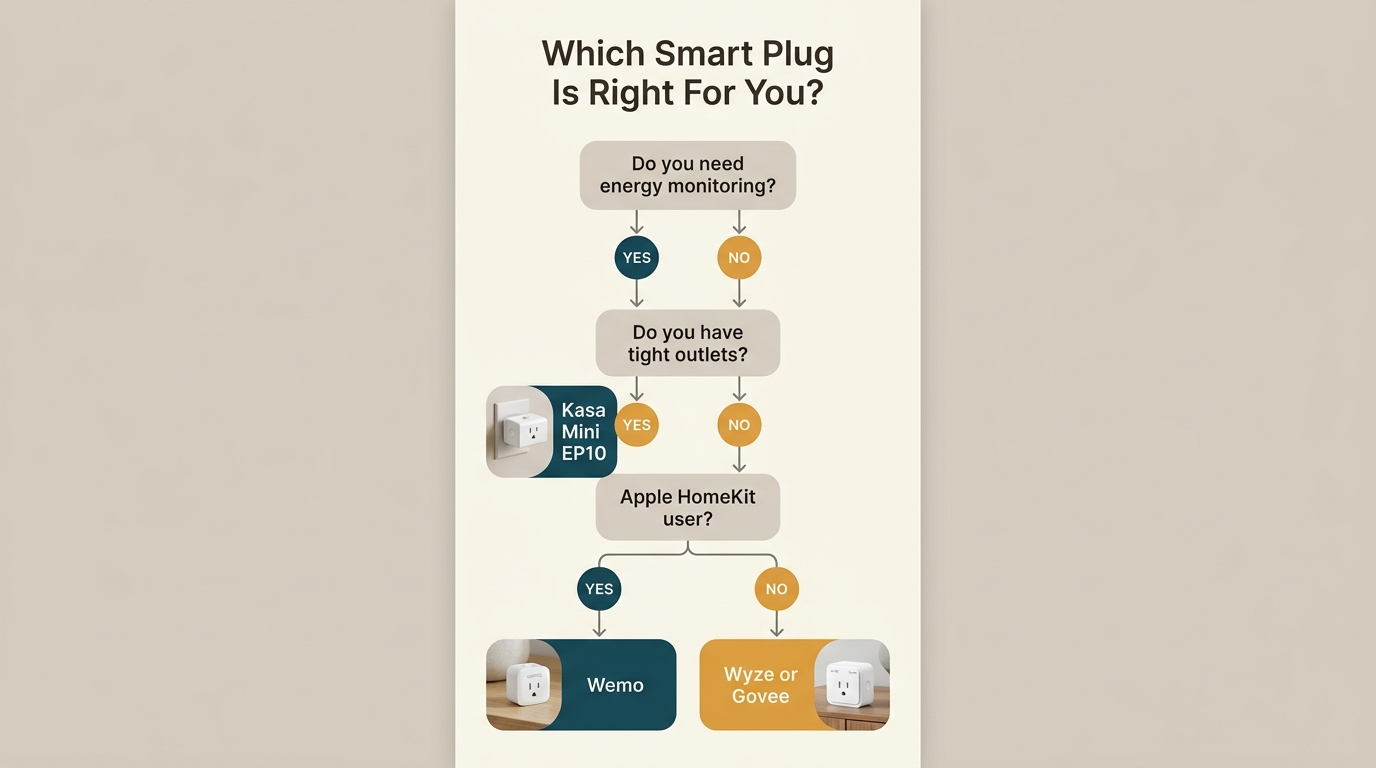
Smart plug decision tree: match your need to the right model
The Scenario-Based Recommendation
Scenario 1: “I want to save money on electricity.”
→ Buy Kasa KP405 (1–3 units). Use energy monitoring to find your biggest hogs, then automate their shutdown.
Kasa Smart Plug KP405 (Energy Monitoring)Scenario 2: “I want to automate my apartment but don’t care about data.”
→ Buy Wyze Plug 2-Pack. It’s the cheapest way to schedule lamps and small appliances.
Scenario 3: “I have outlets in tight spaces.”
→ Buy Kasa Mini EP10. It’s the smallest plug in its class.
Scenario 4: “I want to do a full apartment energy audit.”
→ Buy Emporia Smart Plug 4-Pack. Pair with a Kill A Watt meter for maximum insight.
Scenario 5: “I just want to automate my coffee maker.”
→ Buy Kasa KP405. The energy monitoring will show you exactly how much the coffee maker costs when left on — often more than you’d think.
How Many Smart Plugs Do You Actually Need?
Most renters over-buy smart plugs. Here’s a realistic starting point:
| Apartment Size | Recommended Smart Plug Count |
|---|---|
| Studio | 2–3 |
| 1-bedroom | 3–5 |
| 2-bedroom | 5–7 |
| 3-bedroom | 7–10 |
Start with 2–3 plugs for your highest-impact devices:
- Entertainment center (cable box + TV)
- Home office (computer + peripherals)
- Kitchen (coffee maker or other scheduled appliance)
Once you see the savings, add more plugs incrementally.
💡 Renter tip: Buy a multi-pack (Emporia 4-Pack) instead of individual plugs if you want to monitor several devices at once. The per-unit cost drops significantly.
The One Mistake Renters Make
The most common mistake we see: buying smart plugs before understanding which devices actually waste energy.
You might spend $50 on smart plugs, automate 6 devices, and save $30/year. Or you might spend $25 on one Kasa KP405, automate your cable box, and save $100/year.
The difference is measurement. Use a Kill A Watt meter first to identify your top 3 energy hogs. Then buy smart plugs for those specific devices. This approach maximizes ROI.
P3 P4400 Kill A Watt Electricity Usage MonitorFor a complete walkthrough, see our How to Use a Kill A Watt Meter guide.
Chapter 5: Setup & Installation Tips for Renters
Smart plugs are one of the easiest smart home upgrades — but there are a few renter-specific tips that make the process smoother.
Before You Buy: The Pre-Purchase Checklist
- Check your Wi-Fi band. Smart plugs need 2.4GHz. If your router is 5GHz-only, you’ll need to enable 2.4GHz or get a different router.
- Count your outlets. How many devices do you actually want to automate? Don’t over-buy.
- Check outlet locations. Are they behind furniture? In tight spaces? This affects which plug you should buy.
- Identify high-draw devices. Do NOT plug space heaters, ACs, or high-wattage appliances into standard smart plugs.
- Check your voice assistant. If you use Apple HomeKit, you’ll need a dedicated HomeKit plug (outside this list). If Alexa/Google, any of the four picks work.
Step-by-Step Setup (Kasa KP405 as Example)
Time required: 3–5 minutes for the first plug.
- Download the app. For Kasa, download “Kasa Smart” from App Store or Google Play.
- Create an account. Email + password. Takes 30 seconds.
- Plug the smart plug into a wall outlet. The indicator light should blink (indicating pairing mode).
- Open the app and tap “+” to add a device. Select “Smart Plug” from the list.
- Enter your Wi-Fi credentials. Make sure you’re on the 2.4GHz band.
- Wait for pairing. The plug will connect in 20–60 seconds.
- Name your plug. Be specific: “Living Room TV” not “Plug 1.”
- Set up a schedule. Example: Off at 1 AM, On at 6 AM.
- Test it. Tap the on/off button in the app and confirm the plug responds.
- Plug in your device. Now the device is controlled by the plug.
Renter-Specific Tips
Tip 1: Photograph Your Setup
Before you automate anything, take a photo of the outlet and device. If you move out and need to restore the original setup, you’ll know exactly what was there.
Tip 2: Label Your Plugs
If you buy multiple plugs, use a permanent marker or sticker to label each one with its assigned device. When you move, you’ll know which plug goes where.
Tip 3: Use Voice Commands Sparingly
Voice commands are convenient but can be unreliable with multiple plugs. Example: “Alexa, turn off the lamp” might trigger the wrong lamp if you have three. Name plugs uniquely: “Alexa, turn off the bedroom lamp.”
Tip 4: Check Power Rating Before Automating
Before plugging in a device, verify its wattage. If it’s over 1,500W, don’t use a standard smart plug. High-draw devices (space heaters, ACs, hair dryers) should stay on manual switches.
Tip 5: Schedule Around Your Routine
The best schedules match your actual habits:
- Coffee maker: On at 6:30 AM, Off at 7:30 AM
- Entertainment center: Off at 1 AM, On at 5 PM
- Router: Reboot at 3 AM every Sunday
Don’t just copy someone else’s schedule — customize it to your life.
Tip 6: Pack Smart When You Move
When moving, unplug all smart plugs, factory reset them (usually a 10-second hold on the button), and pack them in a labeled box. This ensures they’re ready for your next apartment.
⚠️ Renter warning: If your apartment has very old wiring or ungrounded outlets, smart plugs may not work reliably. Test one plug first before buying multiple.
Common Setup Issues (And How to Fix Them)
| Problem | Likely Cause | Fix |
|---|---|---|
| Plug won’t connect to Wi-Fi | You’re on 5GHz band | Switch to 2.4GHz during setup |
| Plug disconnects frequently | Weak Wi-Fi signal | Move router or use Wi-Fi extender |
| Schedule doesn’t fire | Cloud sync issue | Force-close app and re-open |
| Voice command doesn’t work | Wrong assistant linked | Re-link in assistant app |
| Plug gets warm | Normal at high load | Reduce device wattage if very warm |
Conclusion
Smart plugs are the Swiss Army knife of renter smart home upgrades. They’re cheap, portable, non-invasive, and — most importantly — they can actually save you money.
But not all smart plugs are created equal. The right choice depends on your specific needs:
- Want to save money on electricity? → Kasa KP405 or Emporia (energy monitoring)
- Want the cheapest automation? → Wyze Plug 2-Pack (basic scheduling)
- Have tight outlets? → Kasa Mini EP10 (smallest design)
- Want a full apartment audit? → Emporia 4-Pack (multi-device monitoring)
Your action plan:
- Measure first. Use a Kill A Watt meter to find your top 3 energy hogs.
- Match the plug to the device. Use the decision framework in Chapter 4.
- Start with one plug. Buy a single Kasa KP405, set it up, and see the savings before buying more.
- Scale up. Once you’ve verified savings, add 2–3 more plugs for other devices.
- Take them when you move. Smart plugs are yours — they’ll work in your next apartment too.
🛒 Check Kasa KP405 Price on AmazonNext step: If you haven’t already, read our Vampire Power in Rentals guide to identify the 7 hidden devices draining your bill — and our How to Use a Kill A Watt Meter guide to measure them before buying smart plugs.
Frequently Asked Questions
Do smart plugs work in apartments with old wiring?
Usually, yes. Smart plugs work on any standard 110–125V outlet in the U.S. However, very old wiring (pre-1960s knob-and-tube, or ungrounded 2-prong outlets) can cause reliability issues. Test one plug first before buying multiple.
Can I use a smart plug with a space heater?
Only if the smart plug is rated for 15A and the heater’s maximum wattage is under 1,500W. Most space heaters draw 1,500W on high, which is at the edge of a 15A plug’s capacity. To be safe, either:
- Use the heater on low setting (usually 750W) and monitor
- Use a dedicated smart plug rated for 15A+ (like Kasa KP405)
- Or skip the smart plug entirely and use the heater’s built-in timer
Never plug a space heater into a 10A-rated smart plug. It’s a fire hazard.
What happens if the Wi-Fi goes down?
It depends on the plug:
- Kasa KP405, Wyze Plug: Usually have local schedule fallback — schedules continue to fire even without Wi-Fi.
- Emporia: Behavior varies. Most continue local schedules, but some require cloud connectivity.
If you rely on schedules (e.g., for safety or cost reasons), test the behavior by turning off your router for 30 minutes and seeing if the schedule still fires.
Can I control smart plugs when I’m not home?
Yes, as long as the plug is connected to your home Wi-Fi and your phone has internet access. This is one of the main benefits of Wi-Fi smart plugs — you can turn off devices remotely, check energy use, or adjust schedules from anywhere.
How many smart plugs can I connect to one router?
Consumer routers typically handle 30–50 connected devices before experiencing issues. If you’re using 5–10 smart plugs along with phones, laptops, TVs, and other devices, you’re well within limits. If you have 20+ smart devices, consider a mesh Wi-Fi system.
Are smart plugs worth it for renters who might move in a year?
Yes — because they’re portable and cheap. A single Kasa KP405 costs ~$22 and can save $20–$100 per year in energy costs. Even if you only stay 12 months, you’ll break even in 2–3 months and pocket the rest. And when you move, the plug goes with you.
About This Article
WattDweller is a reader-supported publication dedicated to helping renters reduce energy costs without permanent modifications.
For information about how we develop and review content, see our Editorial Policy.
Sources: Product specifications and pricing verified against manufacturer websites and Amazon listings. Energy data cited from the U.S. Department of Energy (DOE) and ENERGY STAR. Testing methodology follows the Renter Test framework described in Chapter 1.
Last Updated: September 24, 2026
Related reading
- The Ultimate Guide to Smart Plugs: Automate, Save Energy, and Lower Your Bills
- Vampire Power in Rentals: 7 Hidden Devices Quietly Inflating Your Electricity Bill
- How to Use a Kill A Watt Meter: The Renter’s Guide to Finding Energy Hogs
- How to Read Your Apartment Electricity Bill (And Spot Overcharges Before You Pay)
- Best LED Bulbs for Renters: Brighten Your Apartment Without Rewiring
- Portable AC vs Window Unit: Which Is Better for Renters?