Smart Home for Renters: How to Make a Rented Place Feel Smart Without Drilling a Single Hole
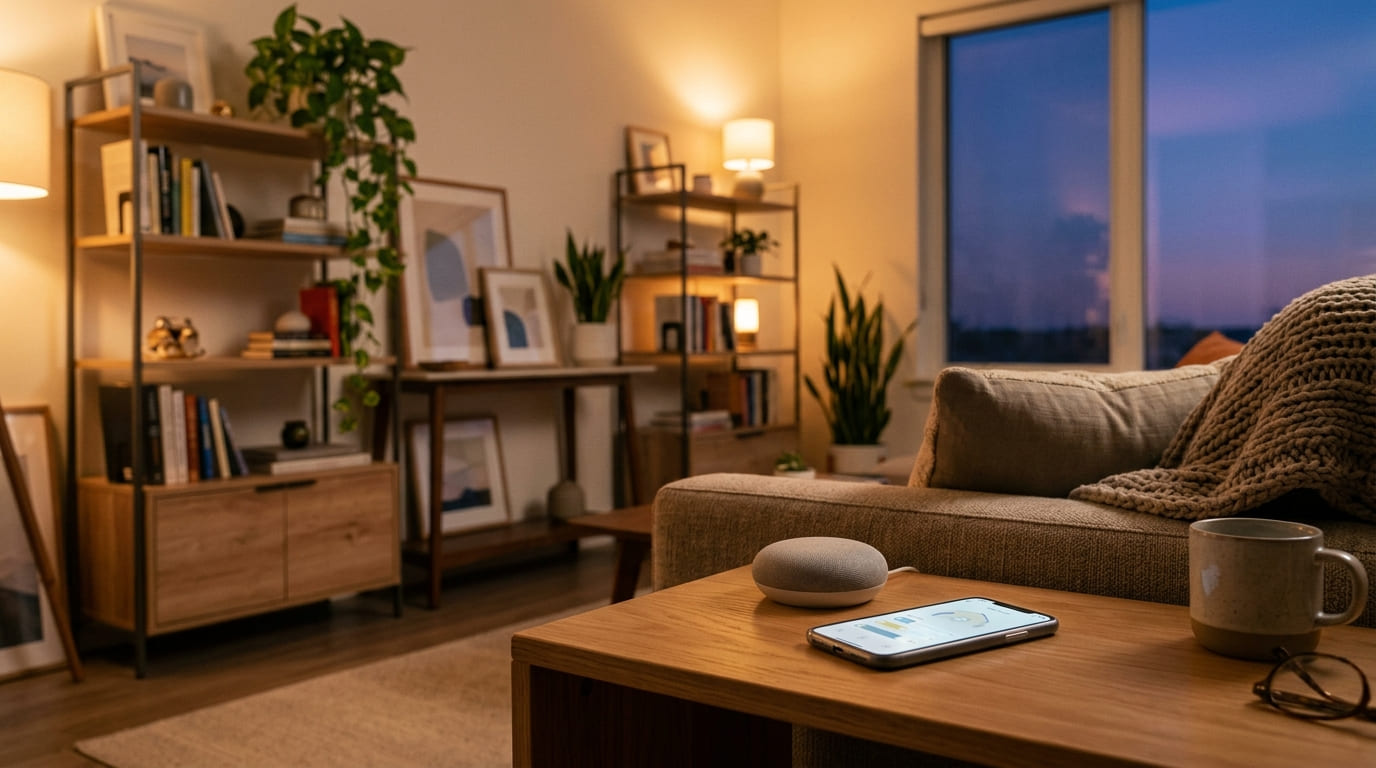
A smart home for renters: no holes, no wiring, no deposit risk
By WattDweller Editorial Team · Updated October 4, 2026
Renting comes with a long list of things you cannot do. You cannot repaint the walls without asking. You cannot rip out the old light switches. You definitely cannot drill into the ceiling just to hang a camera. And yet, somehow, you still want your place to feel like it belongs to you.
Here is the good news. Almost everything a homeowner can do with a smart home, a renter can do too. You just have to pick the right gear. The rule is simple. If you move out tomorrow, the place should look exactly the way it did when you moved in. No holes, no cut wires, no landlord asking questions.
💡 New to renter smart home? If you are starting from zero, read our smart plug guide first. Smart plugs are the cheapest entry point and the easiest win.
Why Renting Changes the Whole Approach
Homeowners build smart homes around permanence. They swap out wall switches, mount cameras with screws, and run cables behind drywall. That works when the house is yours.
Renters need the opposite. Everything should be plug and play. Everything should come off cleanly. Everything should fit in a box when you move.
So before you buy anything, run it through these three questions.
First, can I remove this without damaging the wall or the surface? Second, does it need a hub or a permanent install? Third, can I take it with me to the next place?
If a product fails any of those, skip it. There is almost always a renter friendly alternative.
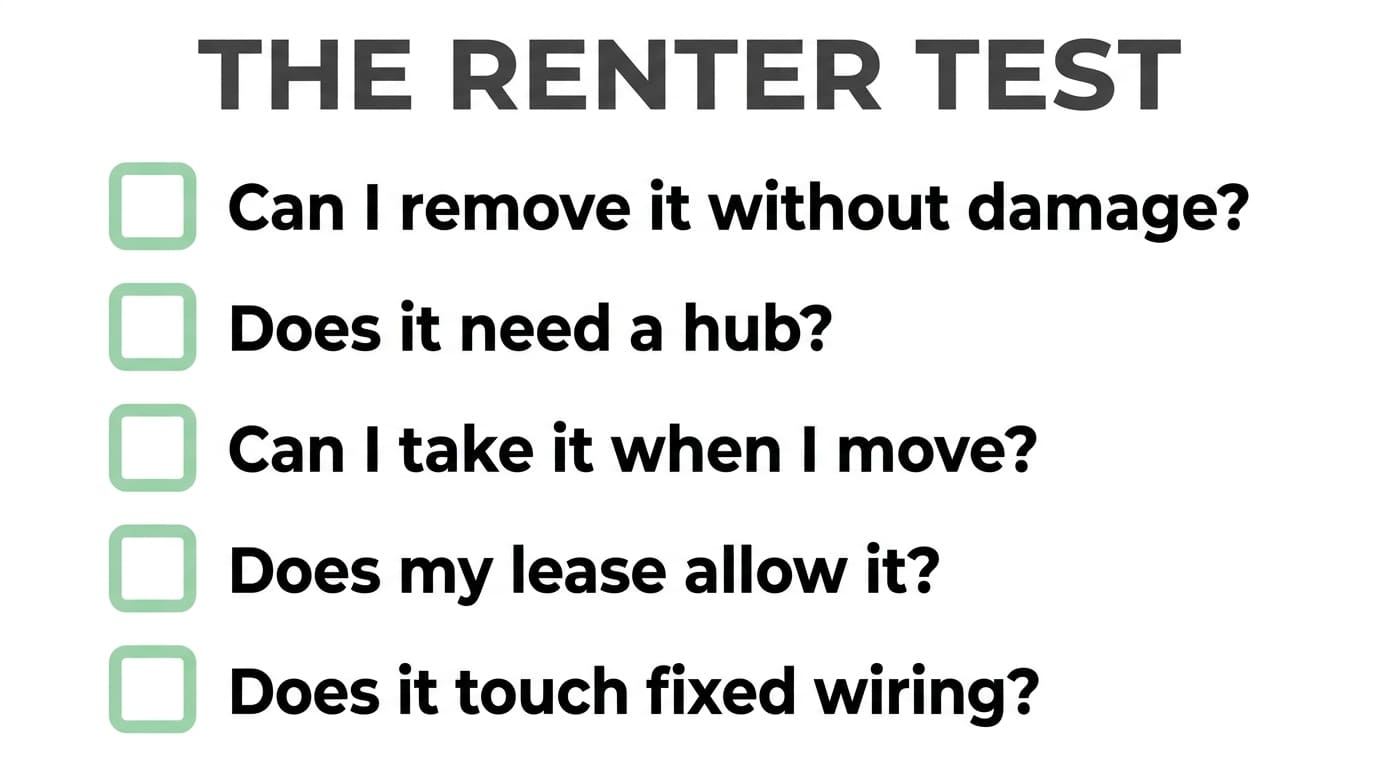
The renter test: removable, portable, no permanent install
The Five Zones of a Renter Smart Home
Think of your place in five simple zones. You do not need to fill all of them at once. Start where it matters most to you.
Zone 1. Entry and Security
This is where most renters feel the most powerless. You cannot change the locks, you cannot mount a doorbell on the frame, and you cannot install an outdoor camera in a shared hallway.
What you can do is work with battery powered and adhesive friendly gear.
The Ring Peephole Cam 2K is one of the best options out there for renters. It replaces your existing peephole, which means no drilling, no wiring, and no damage to the door. When you move out, you swap the original peephole back in and take the camera with you. It records in 2K, supports two way talk, and sends motion alerts to your phone.
⚠️ Check before you buy: Ring Peephole Cam 2K fits standard peephole diameters between 12mm and 14mm. Measure yours first.
If your building does not allow anything on the door, an indoor camera pointed at the entry does most of the same job. Pair it with a simple door sensor and you will know every time the door opens.
🛒 Check Ring Peephole Cam 2K Price on Amazon🏆 Our top pick for entry security:
Zone 2. Lighting
Lighting is the easiest win for a renter. It is also the one that makes the biggest difference in how your place feels.
Smart bulbs are the simplest option. You unscrew the old bulb, screw in the new one, and you are done. When you move out, you put the old bulbs back. No one will ever know.
The Wyze Bulb Color is a solid budget pick. It runs on Wi Fi, no hub needed, and gives you full color control from your phone. Just be aware that some users have reported firmware quirks after updates, so keep an eye on it during the first week.
If you want a premium option that grows with you, the Philips Hue Starter Kit is the classic choice. It comes with a hub and two white bulbs, and the ecosystem is one of the most stable in smart home. The catch is that the starter kit only includes white bulbs. If you want color, you buy those separately. Still, the hub travels with you when you move, so it is a long term investment.
⚠️ Avoid for renters: In-wall smart switches. They look tempting because they control the ceiling light, but installing one means opening the wall box and dealing with live wires. Not worth the deposit risk.
Budget option:
🛒 Check Wyze Bulb Color Price on AmazonPremium option:
🛒 Check Philips Hue Starter Kit Price on AmazonZone 3. Temperature and Comfort
Most rental units come with an old air conditioner or a wall unit that has never heard of an app. That does not mean you are stuck.
If your AC still runs on an infrared remote, the SwitchBot Hub Mini is the real hero here. It sits on a shelf, learns your remote in about five seconds, and suddenly your ancient AC responds to your phone and your voice. It also doubles as a hub for other SwitchBot devices, so it grows with your setup. It is USB powered, which means you just plug it in and go.
💡 One requirement: SwitchBot Hub Mini needs a 2.4GHz Wi Fi network. It will not work on 5GHz.
🛒 Check SwitchBot Hub Mini Price on Amazon🏆 Our top pick for old AC units:
Zone 4. Kitchen and Appliances
The kitchen is where small smart upgrades quietly save you time and money.
The one thing every renter should own is a water leak sensor. They cost almost nothing, they sit under the sink or next to the dishwasher, and they will alert you the moment something starts dripping. If you have ever dealt with a landlord over water damage, you know why this matters.
The GoveeLife Water Leak Detector 1s comes in a five pack with a gateway included. That means you can cover your kitchen, bathroom, laundry area, and still have spares. It has a 1804 foot range, a 105dB alarm, and a five year battery. It works on 2.4GHz Wi Fi and sends alerts to your phone, email, and SMS.
🛒 Check GoveeLife Water Leak Detector Price on Amazon💡 Why this matters more than you think: A single leak can cost thousands in damage and put your deposit at risk. This is the one purchase that pays for itself the first time it works.
Zone 5. Entertainment and Voice
This zone is the fun one, and it is also where your smart home starts to feel connected.
A smart speaker gives you voice control over everything else in the house. The Amazon Echo Pop is small, cheap, and perfect for a bedroom or a small apartment. It supports Wi Fi, Bluetooth Low Energy Mesh, and Matter, so it works with a wide range of devices.
If you want something with a bit more sound, the Echo Dot 5th Gen is the next step up. Either way, you get voice control, a routine engine, and a device that fits in the palm of your hand.
Compact pick:
🛒 Check Amazon Echo Pop Price on AmazonStep-up pick:
🛒 Check Echo Dot 5th Gen Price on AmazonMotion Sensors and Automation
Once you have a few devices, you will want them to react to you instead of waiting for a command. That is where motion sensors come in.
The Aqara Motion Sensor P1 is one of the best in its class. It has a five year battery, a 170 degree field of view, and three sensitivity levels you can adjust. Installation is tool free, just peel and stick.
🛒 Check Aqara Motion Sensor P1 Price on Amazon⚠️ Hub required: Aqara Motion Sensor P1 needs an Aqara Zigbee 3.0 hub. That is a tradeoff many renters accept because the hub is small, portable, and unlocks a whole ecosystem of sensors.
Picking an Ecosystem Without Regretting It Later
This is where a lot of renters get stuck. There are too many options and too much jargon.
Here is the short version.
Wi Fi devices are the easiest to start with. No hub, no bridge, just your router. They are perfect for the first few bulbs and plugs. The catch is that too many Wi Fi devices can slow down your network.
Zigbee and Matter devices are more stable and use less battery, but most of them need a hub. If you plan to grow past ten devices, this is worth it. Just make sure the hub is something you can unplug and take with you.
Bluetooth devices are cheap and simple, but the range is short and they are not great for real automation.
For most renters, the smart move is to start with Wi Fi for your first three to five devices. Once you know you like it, add a hub and expand.
The Order to Buy Things In
If you are on a budget, do not buy everything at once. Buy in this order.
Start with two to four smart plugs. They are cheap, they work with almost anything, and they teach you how automation feels. If you want a full breakdown of which ones to buy, check our smart plug guide or our comprehensive handbook on The Ultimate Guide to Smart Plugs.
Then add two or three smart bulbs. The Wyze Bulb Color is a great starting point.
Next, get a smart speaker. The Echo Pop is small and affordable.
After that, a motion sensor for the hallway or bathroom. The Aqara Motion Sensor P1 is worth the hub investment.
Then a video doorbell if your building allows it. The Ring Peephole Cam 2K is the renter friendly pick.
Then a smart IR blaster if your AC or fan still uses a remote. The SwitchBot Hub Mini handles this and more.
Finally, a water leak sensor. The GoveeLife 5 pack is not exciting, but it is the one that can save you thousands.
You can build a solid starter setup for well under a hundred dollars.
A Simple Checklist Before You Buy Anything
Run every product through this list.
Can I remove it without damaging the wall or surface. Does it need a hub, and if so, is the hub portable. Does it need permanent wiring, or is there a plug or battery version. Does my lease or building allow it. Can I take it to my next place. Does it change any fixed electrical installation.
If you answer no to any of these, look for another option. There almost always is one.
Setting It All Up in Thirty Minutes
You do not need a weekend for this.
Spend the first five minutes putting smart plugs on a lamp and a fan. Spend the next five swapping two bulbs for smart ones. Then pair your smart speaker. Then create three routines. One for morning, one for coming home, one for bedtime. Then stick a motion sensor in the hallway. Then test everything with your voice and your phone.
Half an hour later, your rental feels different. And you have not touched a drill.
When You Move Out
This part is easy if you planned well.
Unplug every smart plug and put the original bulbs back. Peel off adhesive mounts slowly. A hair dryer on low heat and a piece of dental floss will get almost anything off without damage. Reset every device to factory settings so it is ready to use again. Keep the original boxes if you can. They make moving day much simpler.
Mistakes Renters Make All the Time
The first mistake is installing a smart switch without permission. It feels like a small change until your landlord sees it.
The second is buying devices that need a hub, then leaving the hub behind when you move.
The third is mounting a camera in a shared hallway. That is usually against the rules and it can cause real problems.
The fourth is drilling into the wall for a mount when an adhesive option exists.
The fifth is buying ten cheap Wi Fi devices at once and wondering why the network keeps dropping.
Frequently Asked Questions
What if my apartment bans anything on the door?
Use an indoor camera near the entry and a door sensor. You get the same awareness without the conflict.
Can I make an old AC smart?
Yes, as long as it uses an infrared remote. The SwitchBot Hub Mini handles the rest.
Are smart bulbs expensive to run?
No. They are LEDs and they usually use less power than the bulbs they replace.
Do I need a hub?
For three to five Wi Fi devices, no. For a larger setup with Zigbee or Matter, yes. The Aqara Motion Sensor P1 is one example that needs a hub.
Will these work in my next apartment?
Yes, that is the whole point. Everything in this guide is designed to be unplugged, packed, and reused.
Final Thoughts
Renting does not mean giving up on a smart home. It just means choosing gear that respects your lease and your deposit. Plug and play devices, adhesive mounts, battery power, and a little planning will get you almost everything a homeowner has, and you can pack it all up in an afternoon when you leave.
Start small. Buy in the right order. Keep it removable. Your rental can feel like home, and your deposit can stay exactly where it is.
🛒 Check Ring Peephole Cam 2K Price on AmazonNext step: If you have not read it yet, start with our smart plug guide for apartments. It is the cheapest, most flexible entry point into renter smart home, and it pairs perfectly with everything in this article.
About This Article
WattDweller is a reader-supported publication dedicated to helping renters build a smarter home without permanent modifications.
For information about how we develop and review content, see our Editorial Policy.
Sources: Product specifications verified against manufacturer websites and Amazon listings. Renter-fit criteria follow the WattDweller Renter Test framework.
Last Updated: October 4, 2026
Related reading
- Best Portable Power Stations for Apartments: Safe, Quiet Indoor Backup
- The Ultimate Guide to Smart Plugs: Automate, Save Energy, and Lower Your Bills
- Best Smart Plugs for Apartments: Energy Monitoring, Scheduling & No Wiring
- Vampire Power in Rentals: 7 Hidden Devices Quietly Inflating Your Electricity Bill
- How to Use a Kill A Watt Meter: The Renter’s Guide to Finding Energy Hogs
- Best LED Bulbs for Renters: Brighten Your Apartment Without Rewiring