The Ultimate Guide to Smart Plugs: Automate, Save Energy, and Lower Your Bills
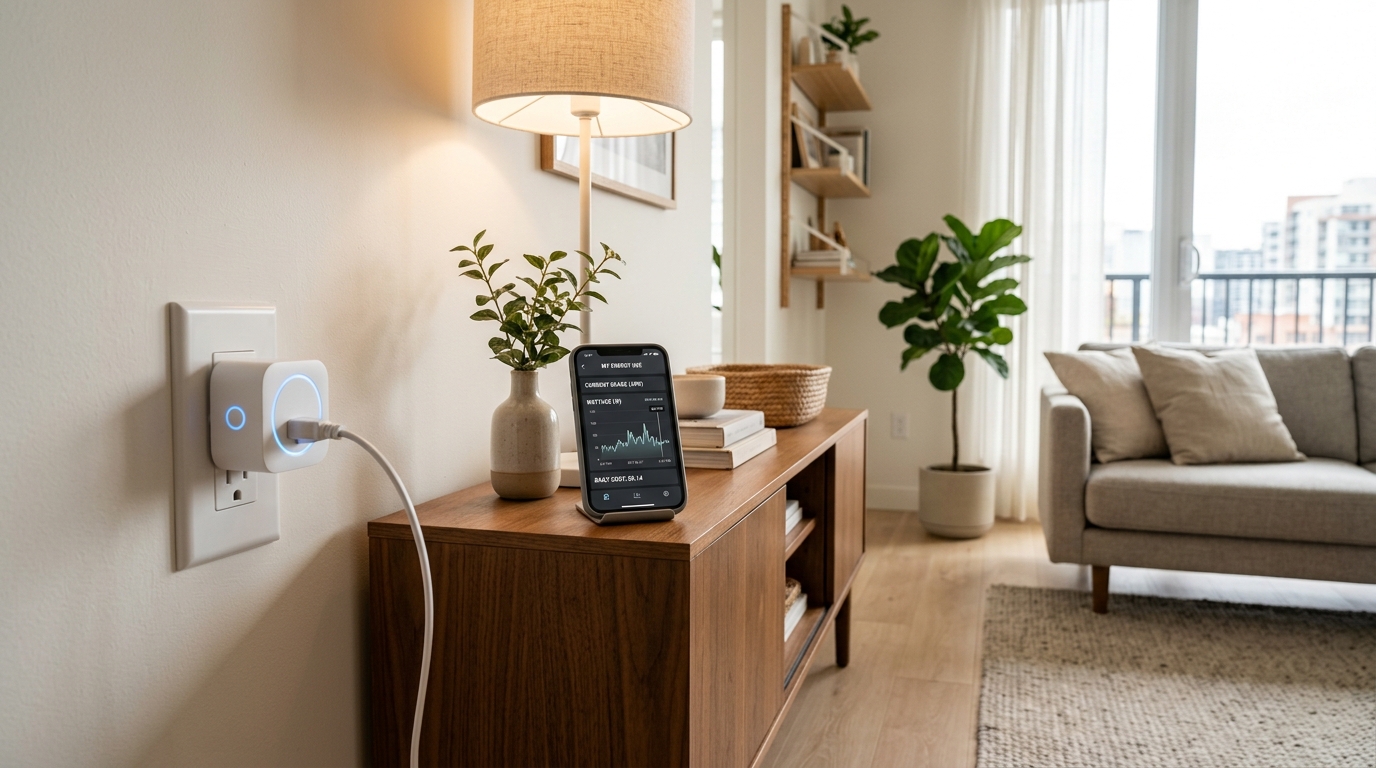
Smart plugs provide an instant bridge between ordinary appliances and automated energy efficiency.
By WattDweller Editorial Team · Updated October 18, 2026
Smart plugs represent one of the most accessible upgrades in modern home automation. For less than twenty dollars, a single compact adapter transforms any standard wall outlet into an intelligent, programmable power switch.
Yet many households treat smart plugs merely as digital on and off switches for table lamps. When configured strategically, smart plugs become relentless energy auditors and automated cost cutters. They identify energy hungry devices, shut down phantom power drains while you sleep, and help you take advantage of off-peak electric utility rates.
This comprehensive guide serves as the foundational pillar for our Smart Home Energy series. Whether you live in a rented apartment or own your property, here is everything you need to know about selecting, positioning, automating, and troubleshooting smart plugs to cut your utility costs.
What Makes a Smart Plug Smart?
At its core, a smart plug sits between your traditional wall outlet and your appliance plug. Inside the compact enclosure resides a miniature relay switch, a Wi-Fi or Matter wireless radio, and in premium models, dedicated power metering circuitry.
[Wall Outlet: 120V AC] ──> [Smart Plug: Relay + Metering Chip] ──> [Connected Appliance]
                                        │
                                        ▼ (Wi-Fi 2.4GHz / Matter)
                           [Smart Home App / Cloud / Voice Assistant]
When you issue a command through a smartphone application, voice assistant, or preset automation schedule, the internal relay engages or disengages electrical continuity.
Basic Smart Plugs vs. Energy Monitoring Plugs
Not all smart plugs offer the same capabilities. Understanding the difference between basic models and energy monitoring units is critical before making a purchase:
| Feature | Standard Smart Plug | Energy Monitoring Smart Plug |
|---|---|---|
| Core Function | Remote On and Off switching | Switching plus real-time telemetry |
| Typical Price | $7 to $12 per plug | $12 to $22 per plug |
| Data Provided | Binary state (Active or Inactive) | Volts, Amps, Watts, and cumulative kWh |
| Scheduling | Sunrise, sunset, timers | Timers plus power threshold triggers |
| Primary Value | Convenience and lighting control | Finding vampire draw and cutting bills |
| Best Used For | Accent lighting, holiday decor | Desktop PCs, entertainment setups, AC units |
For households focused on cutting electric expenses, investing in energy monitoring models pays for itself through actionable data. Our deep dive into the Best Smart Plugs for Apartments highlights tested models that deliver reliable hardware alongside accurate telemetry.
4 Proven Ways Smart Plugs Lower Your Electricity Bill
Many people wonder if spending money on smart plugs generates genuine financial return. The answer is an emphatic yes, provided you deploy them against verified energy leaks.
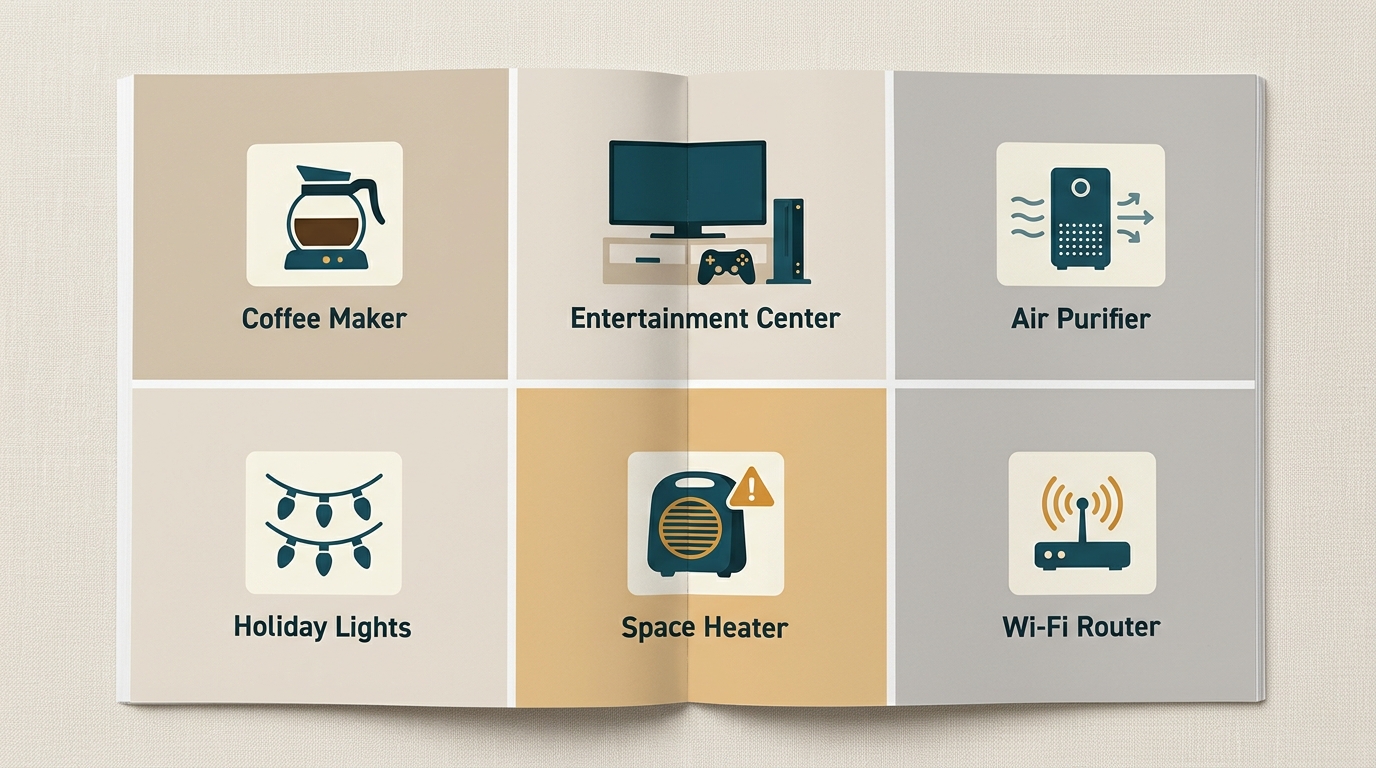
Targeting high-drain appliances delivers the fastest return on your smart plug investment.
1. Eliminating Standby Vampire Power
Electronics in modern homes never truly turn off. Televisions, soundbars, game consoles, microwave clocks, desktop monitors, and computer accessories stay in perpetual standby mode, constantly sipping between 5 and 45 watts.
In energy auditing, this constant background draw is known as phantom load or vampire power. According to the Natural Resources Defense Council, standby power accounts for up to twenty percent of an average residential electricity bill.
By plugging multi-device power strips into an energy monitoring smart plug, you can automate complete power cutoffs overnight or during working hours. To understand which appliances waste the most money while idle, review our investigative guide on Vampire Power in Rentals.
💡 Key Takeaway: Placing a smart plug on an entertainment center to kill standby power between 1:00 AM and 6:00 AM saves approximately $35 to $75 annually, easily recovering the purchase price within four months.
2. Capitalizing on Time of Use (TOU) Electricity Tariffs
Electric utilities across the country increasingly implement Time of Use rate structures. Under these plans, electricity consumed during peak afternoon and evening windows costs double or triple the rate charged during overnight off-peak hours.
With smart plugs, you can set precise schedules so high-consumption devices only pull current during discounted hours:
- Charge portable power stations, electric scooters, and power tools between midnight and 6:00 AM.
- Run dehumidifiers and air purifiers during shoulder or off-peak periods.
- Disconnect decorative lighting and secondary cooling devices right when peak rate windows begin.
If you have never evaluated your utility pricing structure, read our walkthrough on How to Read Your Apartment Electricity Bill to identify your exact kilowatt-hour charges.
3. Preventing Inadvertent Overuse
Human forgetfulness causes substantial energy waste. Space heaters running in empty guest rooms, garage workbench task lights left burning all night, and window air conditioning units operating in unoccupied spaces waste hundreds of kilowatt-hours each year.
Smart plug countdown timers and auto shutoff rules eliminate this issue entirely. You can configure safety rules such as: “Whenever this outlet turns on, turn it off automatically after 90 minutes.”
4. Continuous Power Auditing
Before you can reduce waste, you must measure it. Traditional plugin power meters like the P3 Kill A Watt offer bench testing precision, as detailed in our guide on How to Use a Kill A Watt Meter.
However, dedicated energy monitoring smart plugs provide continuous longitudinal logging. They track cumulative kilowatt-hours over weeks and months, revealing seasonal patterns and aging appliances whose compressors or motors draw far more power than their original specifications.
How to Choose the Right Smart Plug: Selection Criteria
Selecting the ideal smart plug requires looking beyond marketing claims. Consider these four technical factors before buying:
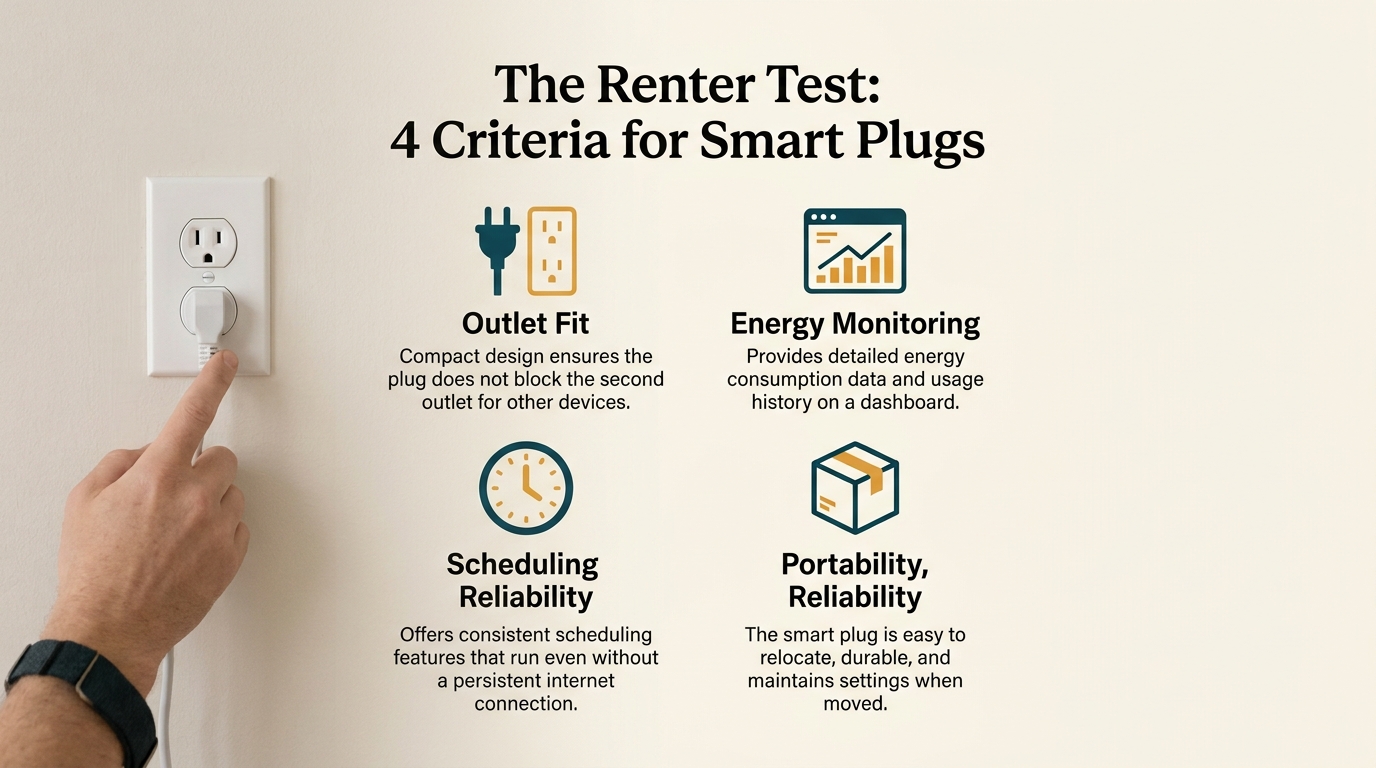
Verify amperage limits and physical dimensions before installing plugs in high-load areas.
1. Amperage and Maximum Wattage Rating
Most residential circuits operate at 120 volts with 15-amp breakers. Standard compact smart plugs support up to 15 amps or roughly 1,800 watts resistive load.
However, budget models frequently cut corners by using 10-amp relays rated for only 1,200 watts. While 10 amps works fine for lamps, plugging a space heater, portable air conditioner, or toaster into an underrated plug creates a dangerous fire hazard.
⚠️ Important Safety Rule: Always confirm that your smart plug carries a full 15-amp, 1800-watt rating and third-party electrical certification from UL (Underwriters Laboratories) or ETL (Intertek). Never connect heavy inductive motor loads such as large refrigerators or major portable air conditioners without checking manufacturer limits. For portable cooling considerations, consult our analysis on Portable AC vs Window Unit.
2. Physical Dimensions and Outlet Stacking
Older smart plugs were bulky rectangles that blocked both outlets on a duplex wall receptacle. Modern mini plugs feature compact, rounded rectangular profiles measuring under 1.5 inches in height. This slim profile ensures you can plug two devices into the same duplex wall outlet simultaneously.
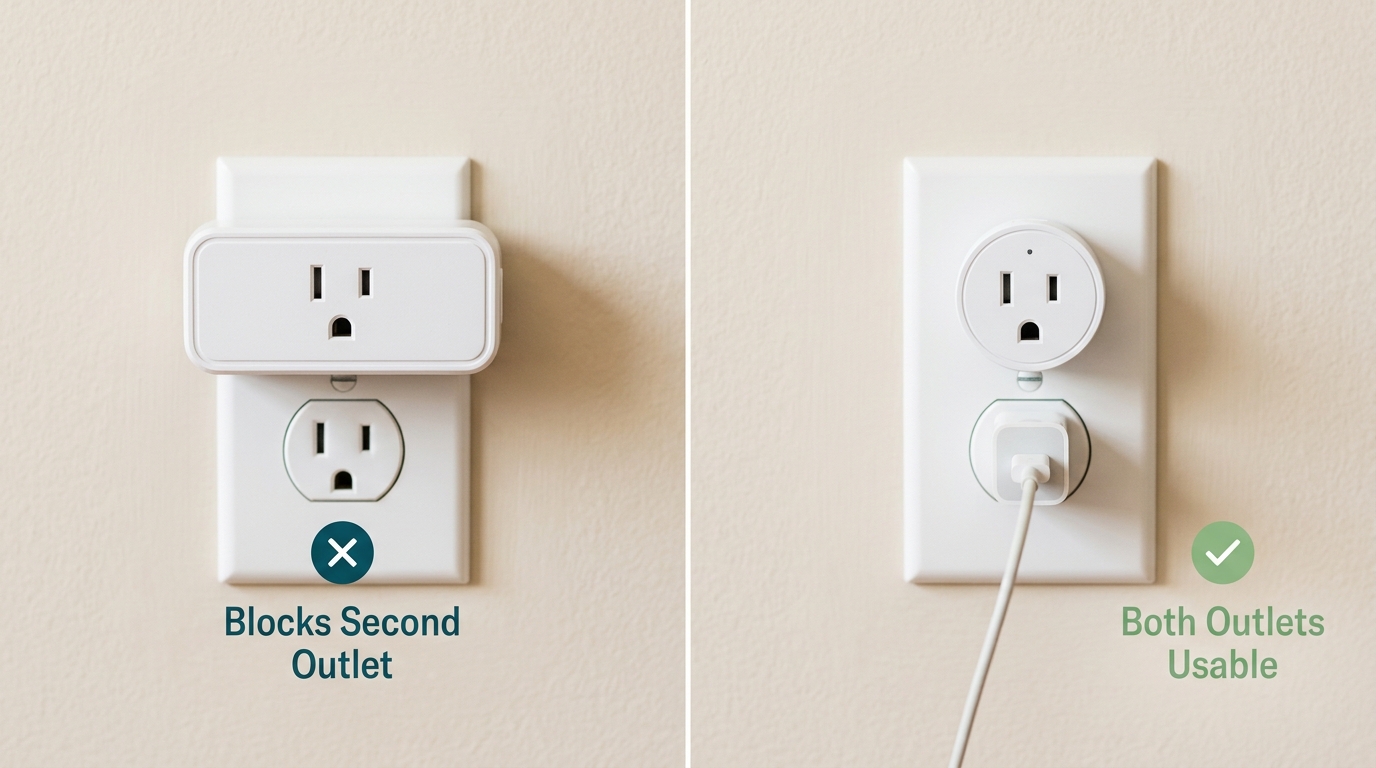
Compact form factors prevent neighboring outlets from being obstructed.
3. Wireless Protocol: Wi-Fi, Matter, or Zigbee
- Wi-Fi (2.4 GHz): The most common protocol. Connects directly to your home router without requiring a separate hardware hub. Great for starting out, though running dozens of Wi-Fi plugs can congest budget wireless routers.
- Matter over Wi-Fi: The modern universal smart home standard. Matter plugs work seamlessly across Apple Home, Google Home, Amazon Alexa, and Home Assistant without vendor lock-in.
- Zigbee and Z-Wave: Commercial grade protocols that form a self-healing mesh network. Requires an external hub, but keeps smart accessories off your home Wi-Fi network entirely.
4. Cloud Dependency and Local Control
If your internet service drops, does your smart plug still adhere to its internal schedule? Quality smart plugs store time-based routines on their local internal memory, executing daily on and off cycles even during internet outages.
Top Recommended Smart Plugs for Energy Conscious Homes
Based on rigorous real-world testing, these models excel in reliability, energy metering precision, and long-term app stability.
1. Best Overall Energy Monitoring: Kasa KP405 / KP115 Series
Kasa Smart Plug with Energy Monitoring (KP405)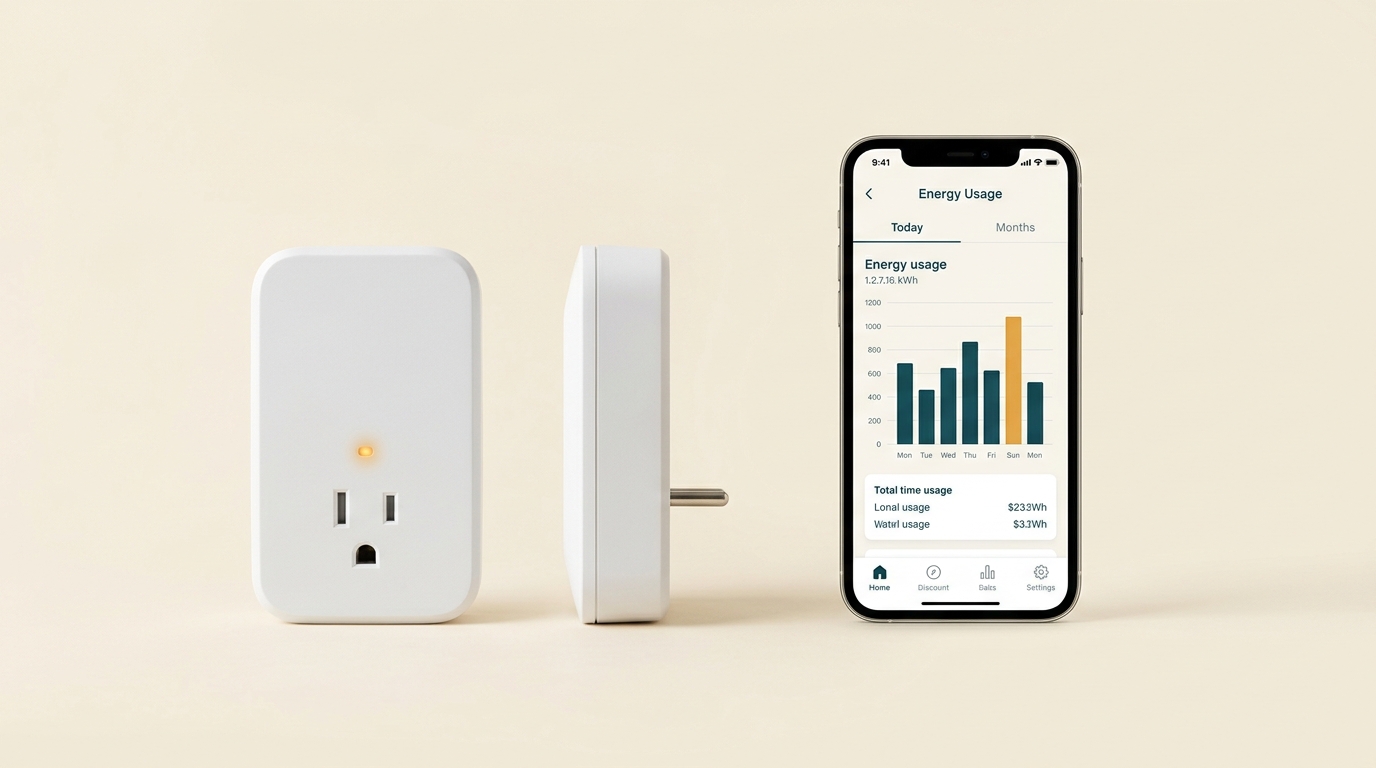
Kasa remains the industry benchmark for stable energy telemetry and responsive scheduling.
The Kasa ecosystem by TP-Link delivers remarkable balance across hardware build quality and intuitive software. The energy monitoring variants capture real-time wattage down to single-decimal accuracy alongside clean historical charts showing daily, monthly, and yearly consumption.
Its mobile application allows you to enter your local cost per kilowatt-hour, instantly converting abstract electricity metrics into actual dollar values. The slim physical design ensures unobstructed access to the second wall outlet.
- Rating: 15A / 1800W
- Connectivity: 2.4 GHz Wi-Fi
- Key Strengths: Reliable local scheduling, exportable power logs, broad third-party integration
2. Best Value Multi-Pack for Whole Home Setup: Kasa Ultra Mini EP10 (4-Pack)
Kasa Smart Plug Ultra Mini EP10 (4-Pack)If your goal is outfitting an entire apartment or house with automated timers for ambient lighting, holiday trees, and fan automation, this multi-pack provides unbeatable value per socket.
While the EP10 series focuses on robust switching rather than granular energy telemetry, deploying them across secondary rooms keeps idle accessories turned off when rooms remain unoccupied. For broader non-invasive renter automation ideas, explore our guide to Smart Home for Renters.
- Rating: 15A / 1800W
- Connectivity: 2.4 GHz Wi-Fi
- Key Strengths: Ultra-compact form factor, rapid pairing, dependable scheduling
3. Best for Compact Spaces: Wyze Plug
Wyze Plug (2-Pack)The Wyze Plug delivers reliable basic automation in an unobtrusive shell. With easy integration into both Alexa and Google Assistant environments, it offers dedicated vacation modes that randomly cycle lamps on and off to simulate occupancy while you travel.
- Rating: 15A / 1800W
- Connectivity: 2.4 GHz Wi-Fi
- Key Strengths: Clean minimalist styling, budget friendly price, reliable countdown timers
4. Best for Granular Data Enthusiasts: Emporia Smart Plug
Emporia Smart Plug (4-Pack with Energy Monitoring)Emporia Energy specializes in whole-home electrical monitoring systems. Their standalone smart plugs reflect that heritage, offering rapid telemetry refresh rates and detailed second-by-second wattage readouts.
If you want to run detailed diagnostic audits on desktop computer rigs or workstation setups, Emporia provides clean, professional-grade analytics.
- Rating: 15A / 1800W
- Connectivity: 2.4 GHz Wi-Fi
- Key Strengths: High resolution telemetry, integration with home battery setups, excellent power charts
Room by Room Deployment Playbook
To maximize your return on investment, avoid scattering smart plugs randomly. Follow this room-by-room strategic framework:
[Living Room]      ──> Entertainment Center (Kill 25W Standby Overnight)
[Home Office]      ──> Printer, Dual Monitors, Charging Station (Shut off after 6:00 PM)
[Bedroom]          ──> White Noise Machine, Ambient Lamp, Heated Blanket (Auto-off timer)
[Kitchen & Utility] ──> Coffee Maker Warmer, Portable Dehumidifier (Off-peak scheduling)
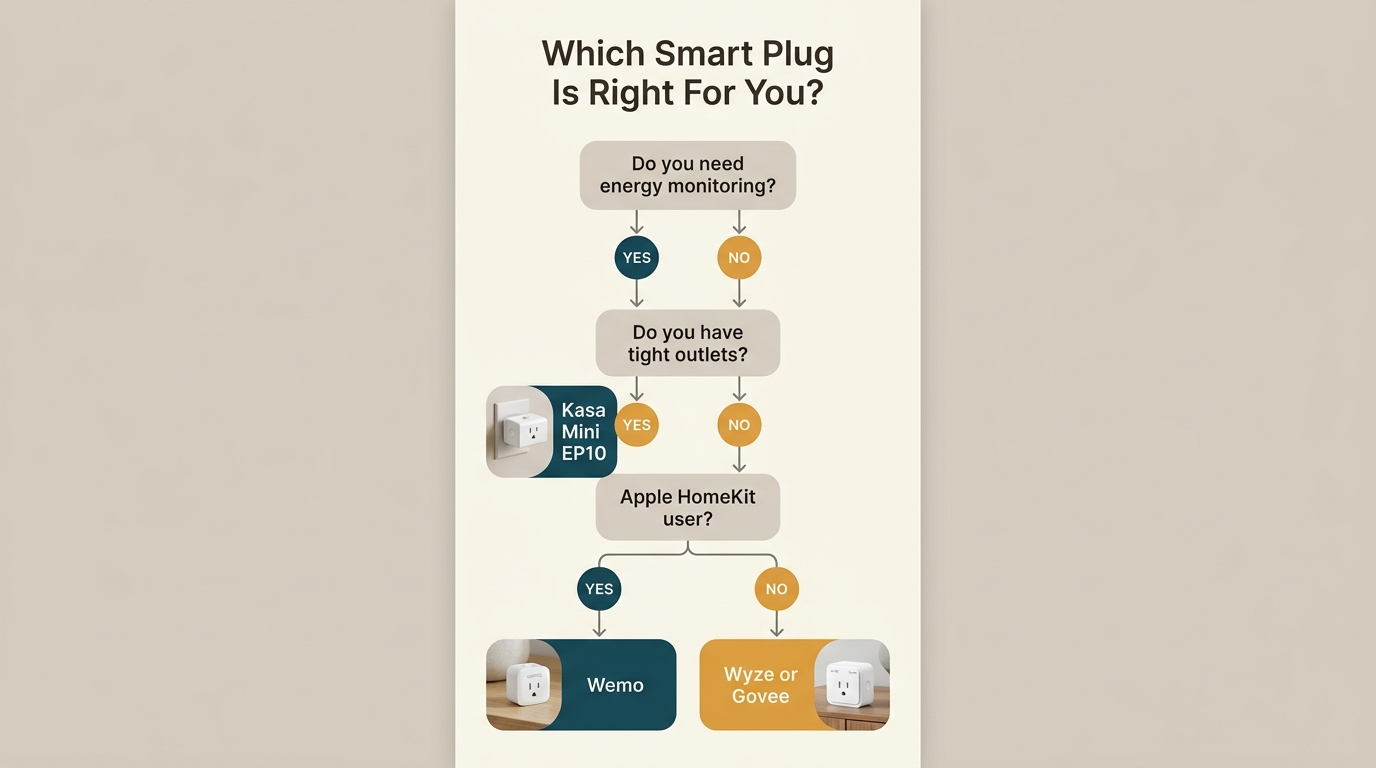
Consult this decision flow to choose between basic timers and energy monitoring units.
The Living Room: Entertainment Consolidation
Home theaters represent the single largest concentration of vampire loads in most residences. A modern setup often includes:
- 65-inch Smart TV (3 to 8 watts standby)
- Streaming Box or Apple TV (2 to 5 watts idle)
- Audio Receiver or Soundbar (6 to 18 watts standby)
- Gaming Console in instant-on standby (10 to 25 watts idle)
- Subwoofer with active standby amplifier (5 to 12 watts idle)
Combined, this entertainment cluster burns 25 to 65 watts continuously while nobody watches. Over twelve inactive hours per day, that totals roughly 110 to 285 kilowatt-hours annually.
The Solution: Connect all entertainment accessories to a single heavy-duty surge strip, then plug that strip into an energy monitoring smart plug. Schedule the smart plug to turn off between 1:00 AM and 7:00 AM daily, or trigger an automated shutoff routine whenever your living room motion sensor detects no movement for two hours.
The Home Office: Workstation Optimization
A professional desk setup features desktop computers, dual high-refresh monitors, powered audio monitors, laptop charging bricks, and external hard drives.
Even when your PC sleeps, charging bricks and peripheral power supplies radiate warmth, signaling active current draw.
The Solution: Create an end-of-workday automation. At 6:30 PM, the smart plug cuts power to secondary monitors, desk illumination, and accessory chargers, preventing eight hours of unnecessary overnight draw.
The Bedroom: Comfort and Safety
Bedrooms benefit greatly from automated heating and cooling transitions:
- Electric Blankets: Pre-heat the bed thirty minutes before your planned bedtime, then automatically cut power forty-five minutes later so you never wake up overheating.
- Humidifiers: Schedule operation exclusively during sleep hours to preserve water and electricity.
- White Noise Generators: Automatically disengage thirty minutes after your morning alarm sounds.
For further renter-friendly lighting upgrades that complement your plug setup, see our review of the Best LED Bulbs for Renters.
Smart Plug Automation Recipes for Maximum Savings
Connecting a smart plug to your phone is only the beginning. Creating automated routines unlocks the true value of your investment:
Automation Recipe 1: "Nighttime Vampire Sentry"
Trigger: Time equals 12:30 AM
Action: Turn off Entertainment Smart Plug, Home Office Smart Plug, and Accent Lamps

Automation Recipe 2: "Workday Departure"
Trigger: Geofence exits home radius OR Time equals 8:30 AM (Monday through Friday)
Action: Confirm all space heaters, fan units, and non-essential outlets are turned off

Automation Recipe 3: "Off-Peak Battery Charging"
Trigger: Time equals 1:00 AM
Action: Turn on Utility Smart Plug connected to portable batteries and tool chargers
Duration: Run for 4 hours, then automatically shut off
For households looking to combine appliance controls with whole-home savings, our cornerstone guide The Ultimate Renter Energy Savings Guide provides a holistic blueprint for reducing bills by several hundred dollars annually.
Common Mistakes and How to Avoid Them
Even seasoned smart home enthusiasts encounter occasional pitfalls. Watch out for these four common errors:
1. Connecting Smart Plugs to Mechanical vs. Electronic Switches
Smart plugs control line voltage to the appliance. However, what happens when power returns depends on the appliance switch mechanism:
- Mechanical Switches: Appliances with physical rocker toggles or click knobs (such as basic lamps, standard fans, slow cookers, and basic space heaters) resume operating immediately when power is restored. These work perfectly with smart plugs.
- Electronic Pushbuttons: Appliances with digital soft-touch buttons or computerized microcontrollers (such as modern televisions, digital microwaves, and advanced air conditioners) usually enter an idle standby mode when power is restored, requiring a manual human finger press to turn back on.
💡 Pro Tip: Before buying a smart plug for a specific device, perform the unplug test. Turn the appliance on, pull its power cord out from the wall outlet, wait ten seconds, and plug it back in. If the machine turns back on automatically without your intervention, it is fully compatible with smart plug scheduling.
2. Overloading Circuits with Multiple High-Wattage Appliances
A standard 15-amp residential branch circuit provides approximately 1,800 watts of total capacity. While a smart plug can handle 1,800 watts individually, that rating applies only if the rest of the branch circuit remains under safe thresholds.
Never plug a 1,500-watt space heater and an 800-watt coffee machine into smart plugs sharing the exact same wall outlet or circuit run. Doing so will trip your household circuit breaker.
3. Placing Wi-Fi Plugs in Weak Signal Dead Zones
Smart plugs feature modest internal antennas. If your outlet sits behind metal filing cabinets, heavy refrigerators, or concrete basement walls, Wi-Fi connectivity may drop intermittently.
If an outlet suffers periodic disconnections, consider upgrading to a mesh Wi-Fi system or selecting smart plugs that cache their automation schedules directly within onboard flash memory.
Frequently Asked Questions
Do smart plugs consume electricity when turned off?
Yes, smart plugs draw a negligible amount of electricity to power their internal wireless radio and relay listener circuit. On average, a quality Wi-Fi smart plug draws between 0.5 and 1.2 watts in standby mode. This costs approximately $0.60 to $1.50 per year. In comparison, eliminating a 20-watt vampire load across the year saves roughly $25 to $35, delivering massive net energy savings.
Can smart plugs be used with heavy appliances like refrigerators?
It is generally not recommended to connect full-size refrigerators or freezers to consumer smart plugs. Compressors produce significant inductive inrush surges when starting up, which can weld internal relay contacts shut. Furthermore, an accidental automation shutoff or dropped internet connection could inadvertently spoil perishable food.
Can smart plugs save money in rental apartments?
Absolutely. Smart plugs require zero electrical rewiring, leave zero marks on walls, and take less than two minutes to install. When moving between apartments, you simply unplug them and take your entire energy automation setup with you.
Final Recommendation: Where to Begin
If you are new to home energy management, do not attempt to automate your entire residence overnight. Begin with high-impact, high-certainty targets:
- Start with an Energy Monitoring Multi-Pack: Acquire a package of certified monitoring plugs such as the Kasa KP405 or Emporia Smart Plugs.
- Audit Your Entertainment and Office Setups: Plug your primary media center and desk workspace into monitoring plugs for seven days to record baseline energy consumption.
- Deploy Timers and Schedules: Program automated shutoffs between midnight and morning hours on verified vampire loads.
- Expand Step by Step: Replicate successful automations across lighting, seasonal devices, and auxiliary appliances.
Smart plugs offer the rare intersection of low upfront cost, immediate utility bill reduction, and effortless everyday convenience. By automating your home electrical usage thoughtfully, you eliminate wasteful consumption automatically while enjoying a smarter, more efficient living space.
Related reading
- Achieve Energy Independence: DIY Solar, Wind, and Alternative Energy Solutions
- Portable Power Stations: The Complete Buyer’s Guide for Home Backup and Off-Grid Living
- Best Smart Plugs for Apartments: Energy Monitoring, Scheduling & No Wiring
- The Ultimate Renter Energy Savings Guide
- How to Use a Kill A Watt Meter: The Renter’s Guide to Finding Energy Hogs
For detailed guidance on ethical product testing methodologies, review our Editorial Policy.