Vampire Power in Rentals: 7 Hidden Devices Quietly Inflating Your Electricity Bill (And How Renters Can Stop It)
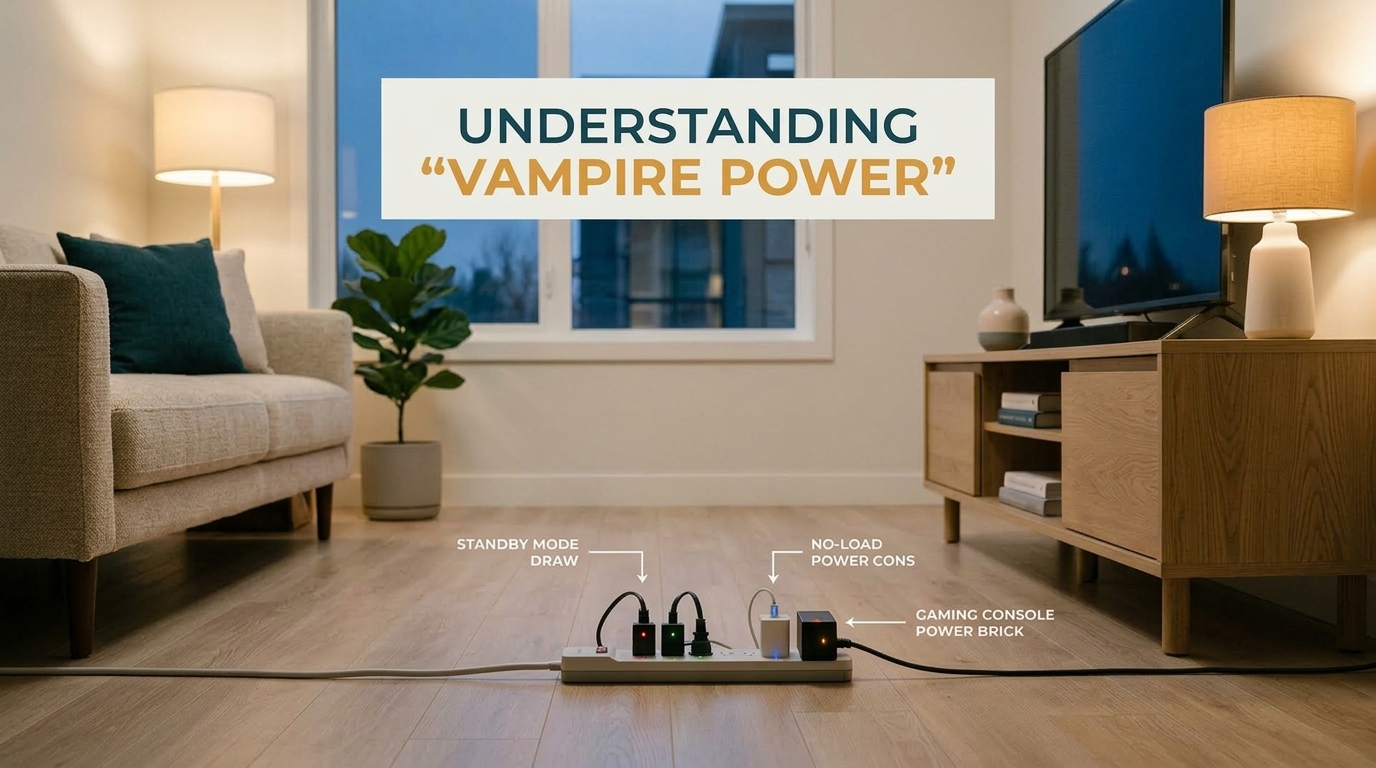
Vampire power: the hidden 5–10% on your electricity bill
By WattDweller Editorial Team · Updated October 8, 2026
Your rental apartment is bleeding money, and you don’t even know it.
While you’re asleep, at work, or on vacation, a small army of electronics in your unit continues consuming electricity. This hidden drain is called vampire power (also known as phantom load or standby power), and according to the U.S. Department of Energy, it accounts for 5–10% of a typical household’s annual electricity use.
For the average American renter, that’s $100–$200 wasted every year on devices that aren’t even turned on.
For renters, this is especially frustrating. You often can’t upgrade to energy-efficient appliances owned by your landlord. You can’t install solar panels. You can’t rewire the electrical panel. But you can take control of the devices you personally use, and most solutions are completely portable, meaning you can take them with you when you move.
In this guide, we’ll expose the 7 biggest vampire power culprits in rental units, show you exactly how much each one costs per year (with sources), and give you a renter-friendly toolkit to stop the bleed, all without violating your lease.
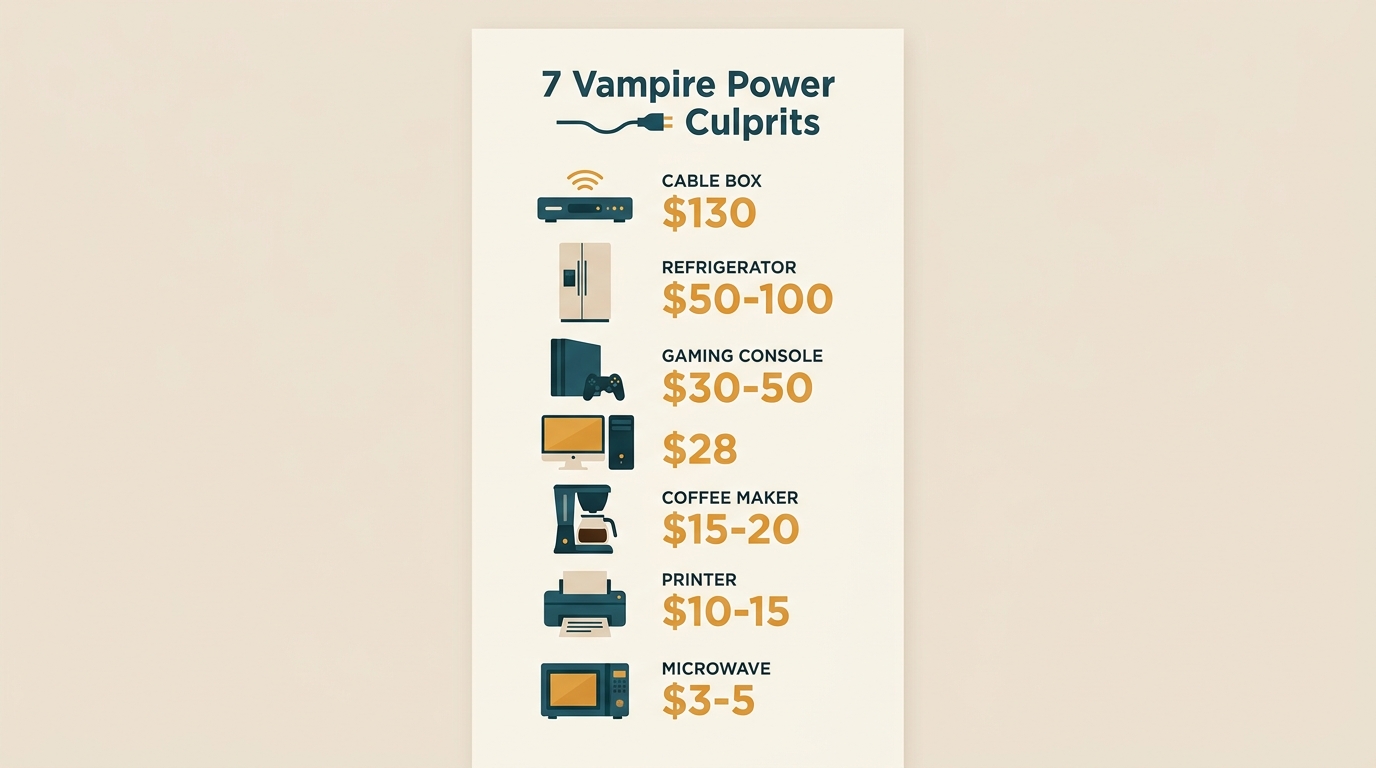
Vampire power consumption breakdown: which devices cost you the most
Quick Summary: The 7 Vampire Power Culprits
Before we dive in, here’s the full breakdown. If you’re short on time, this table tells you where to focus first:
| Device | Estimated Annual Cost | Priority | Easy Fix? |
|---|---|---|---|
| Set-top box (cable/satellite) | $130 | 🔴 High | ✅ Smart plug |
| Old second refrigerator | $50–$100 | 🔴 High | ⚠️ Check lease |
| Gaming console (PS5/Xbox standby) | $30–$50 | 🔴 High | ✅ Power settings |
| Desktop computer (sleep mode) | $28 | 🟡 Medium | ✅ Shutdown habit |
| Coffee maker (keep-warm feature) | $15–$20 | 🟡 Medium | ✅ Manual switch |
| Inkjet printer (standby) | $10–$15 | 🟡 Medium | ✅ Power strip |
| Microwave (digital clock) | $3–$5 | 🟢 Low | ⚠️ Not worth effort |
Total estimated vampire power in a typical rental: $250–$400/year.
🛒 Check Kill A Watt Price on Amazon💡 Want to start measuring your vampire power today? Grab a P3 Kill A Watt Electricity Usage Monitor, the same tool professional energy auditors use. It pays for itself in the first month of measurement.
Now let’s break down each device and the renter-friendly fix.
1. The Set-Top Box (Cable or Satellite Receiver)
Estimated annual cost: $130
Source: Natural Resources Defense Council (NRDC), Energy Vampires guide
Cable and satellite receivers are the single biggest vampire power offender in most rentals. According to NRDC research, the average set-top box consumes roughly as much electricity as a mid-size refrigerator, even when it appears to be turned off.
For renters, this is especially easy to overlook. A cable box may have been supplied with the apartment’s existing entertainment setup, left by a previous tenant, or simply kept running 24/7 because turning it off every night feels inconvenient.
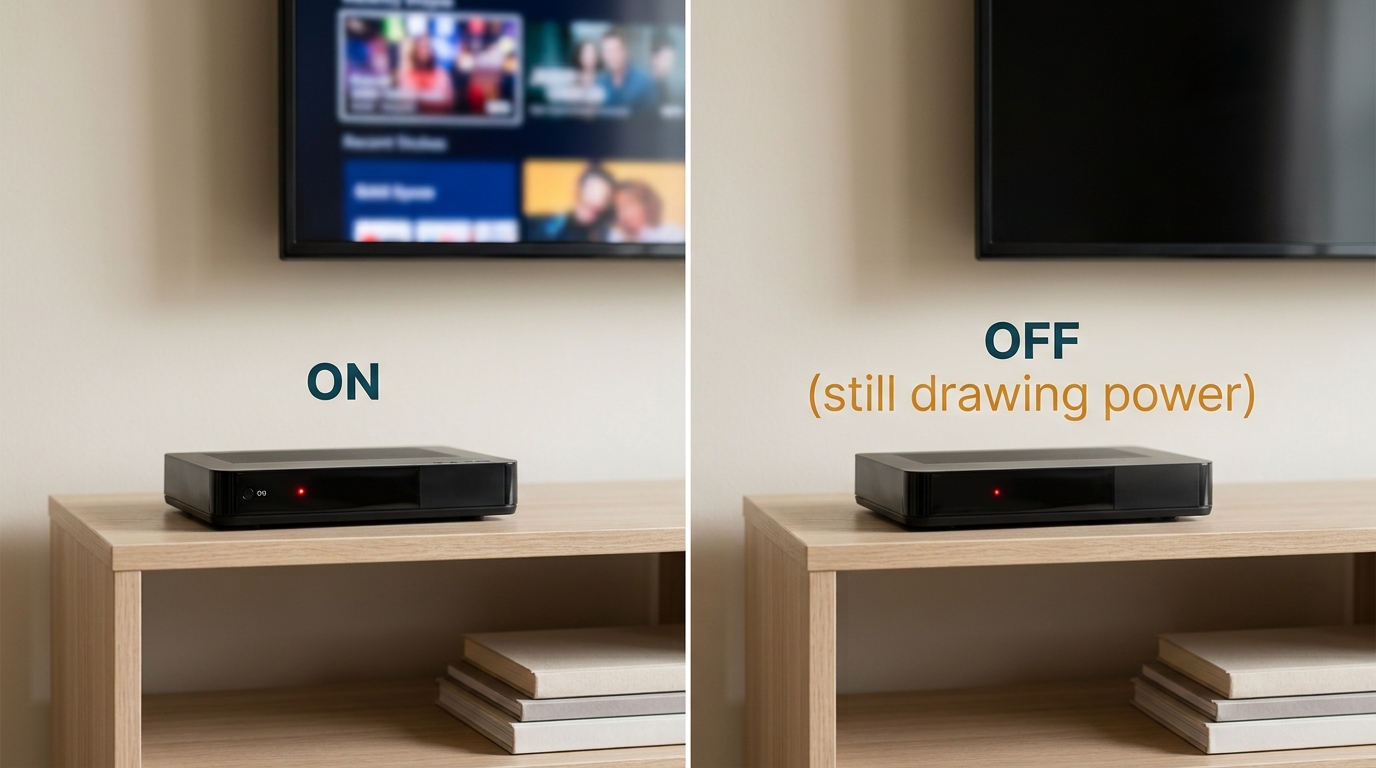
Set-top boxes: one of the worst vampire power offenders in rentals
The renter-friendly fix
A smart plug with scheduling can cut this load automatically. Schedule the plug to disconnect power between 1 AM and 6 AM, the hours when you’re asleep and not recording anything.
Important caveat: Before doing this, verify that your specific receiver can safely handle scheduled power cuts. Some DVRs need continuous power to record shows or download updates. If yours does, skip this device and focus on the others below.
💡 Ready to automate this? See our Best Smart Plugs with Energy Monitoring for Apartments guide for the related buying guide. Use a smart plug only when the device can safely tolerate scheduled power cuts.
Recommended product for this fix:
- Kasa Smart Plug KP405 (Energy Monitoring) : Compact scheduling and energy-monitoring features for renters. See our full comparison →
2. The Desktop Computer in Sleep Mode
Estimated annual cost: $28
Source: U.S. Department of Energy, Purchasing Energy-Efficient Computers
A desktop computer in sleep mode isn’t using full power, but it’s still drawing electricity to maintain RAM, listen for wake signals, and keep certain components active. Over a year, this adds up.
This is particularly relevant for renters who work from home. Leaving a computer in sleep mode overnight becomes a habit, especially when the difference between “sleep” and “off” isn’t obvious.
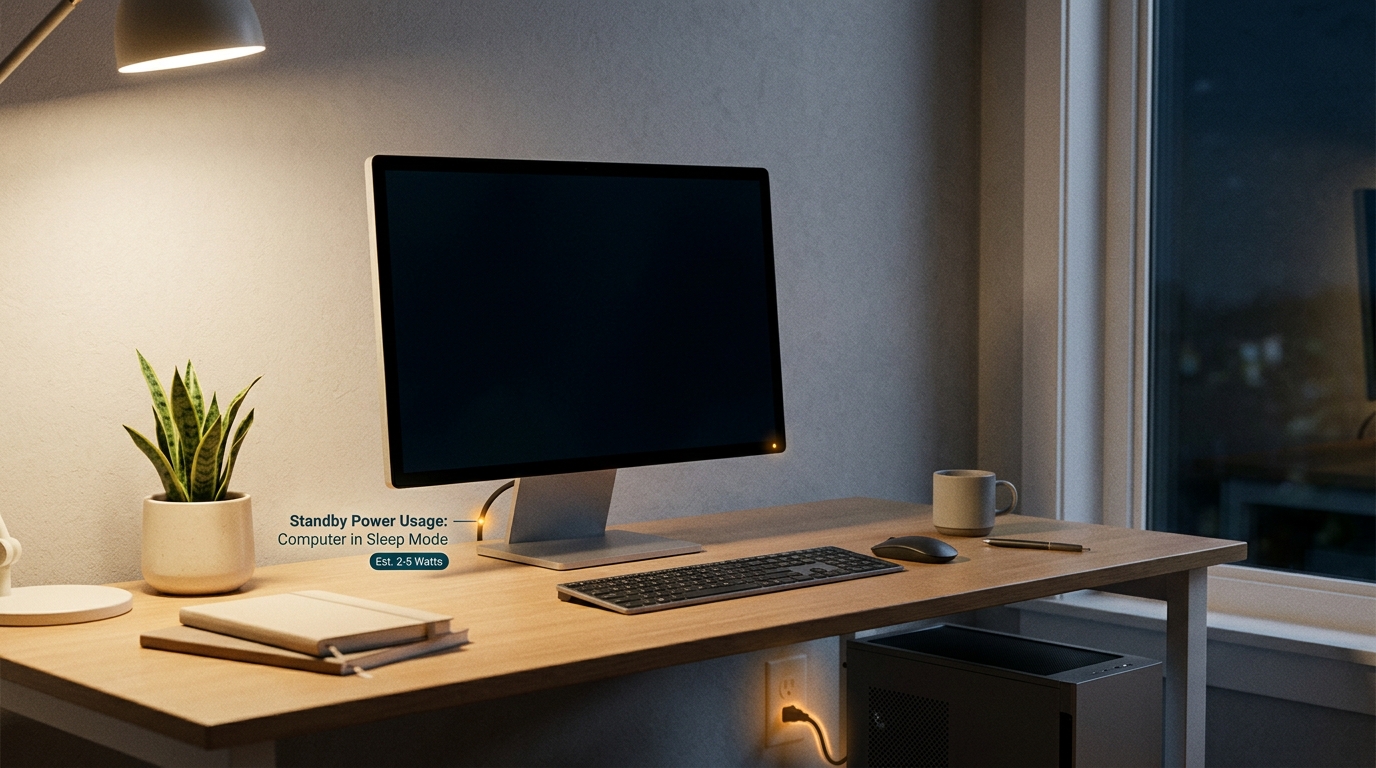
Desktop computers can draw 10–30W even when ‘off’
The renter-friendly fix
If you don’t need remote access or background tasks overnight, shut the computer down completely when you’re done for the day. The 30-second boot time tomorrow is worth the $28/year savings.
For a more automated approach, use an advanced power strip for your workstation. When the computer is fully powered down, the strip automatically cuts power to peripherals (monitor, speakers, printer, chargers) that would otherwise sit in standby.
Recommended product for this fix:
- Belkin Conserve Socket : A no-app option designed for simple power management.
3. The Microwave With a Digital Clock
Estimated annual cost: $3–$5
Source: Lawrence Berkeley National Laboratory, History of Standby Power
The microwave probably isn’t the first appliance you’d blame for a high electricity bill. After all, you only use it for a few minutes each day.
But many microwaves continuously power their digital clocks and control electronics while plugged in. The individual cost is small, just $3–$5 per year.
That isn’t going to transform your bill by itself. But vampire power is about eliminating multiple unnecessary loads, not expecting one tiny device to produce dramatic savings.
The renter-friendly fix
If you don’t mind resetting the clock, unplug the microwave when it’s not needed. Otherwise, this is a low-priority device. Focus your energy on the bigger loads below.
4. The Coffee Maker With a Keep-Warm Feature
Estimated annual cost: $15–$20
Source: NRDC, Energy Vampires guide
Coffee makers with a “keep-warm” function continue consuming electricity after brewing because the appliance maintains the temperature of the coffee on the hot plate.
The bigger issue is often behavioral: if you brew coffee in the morning and leave the machine powered for hours afterward, you’re paying for a function you may not actually need.
The renter-friendly fix
Turn the coffee maker off once you’re finished using it. If your model has an automatic shutoff feature, use it. If it doesn’t, a smart plug can automate the schedule, but for a simple appliance like this, the simplest solution is usually the best one.
Recommended product for this fix:
- Wyze Plug (2-Pack) : Budget-oriented option for basic scheduling.
5. Gaming Consoles in Standby Mode
Estimated annual cost: $30–$50
Source: NRDC, Energy Vampires guide
Modern gaming consoles are designed to provide convenient standby features. Depending on your settings, a PS5 or Xbox may remain connected and ready to perform background tasks, downloading updates, charging controllers, or waiting for you to press a button on the controller.
For frequent gamers, this is an easy load to overlook because the console appears to be “off.”
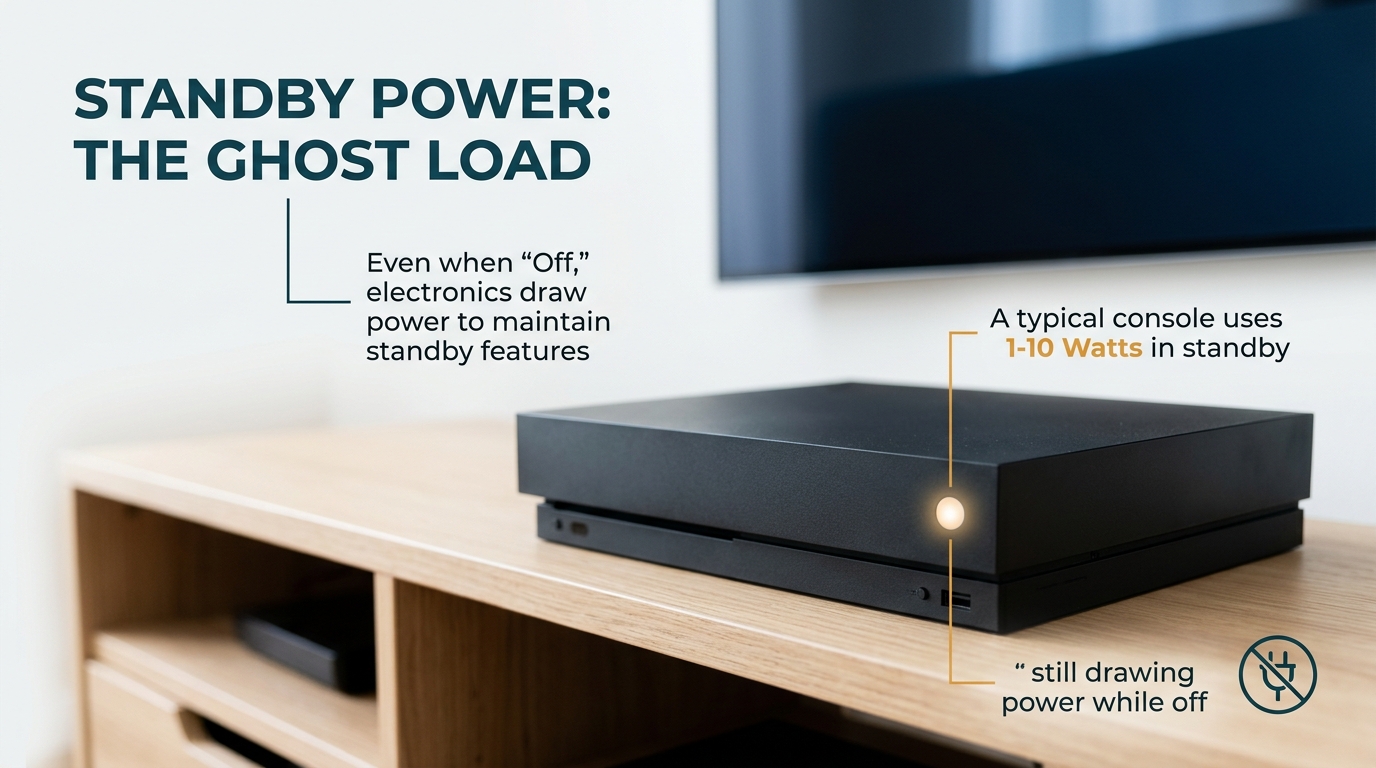
Gaming consoles in rest mode: convenient, but costly
The renter-friendly fix
Start by checking the console’s power settings. On PS5, go to Settings > System > Power Saving > Set Features Available in Rest Mode and disable what you don’t need. On Xbox, go to Settings > General > Power mode & startup and switch to Energy-saving mode.
If you don’t need automatic updates, remote features, or instant access while you’re away, shut the console down completely when you’re done gaming.
A smart plug can also help if you have predictable gaming hours, just be careful about cutting power while the console is actively running or installing an update.
6. The Inkjet Printer
Estimated annual cost: $10–$15
Source: Energy Star, Imaging Equipment
Printers often remain powered because they’re expected to be ready whenever you need them. Inkjet printers may use standby electricity to maintain a quick-start state, respond to wireless commands, or perform automatic head cleaning.
That isn’t a huge amount by itself, but home-office renters may have several devices, printer, monitor, speakers, router, computer, and other peripherals, sharing the same workspace, and the combined standby load adds up.
The renter-friendly fix
If you only print occasionally, switch the printer completely off when you aren’t using it.
For a home-office setup, an advanced power strip is more convenient because it allows multiple peripheral devices to be managed together. When your computer shuts down, the strip automatically cuts power to everything else.
7. The Old Apartment-Provided Refrigerator
Estimated annual cost: $50–$100
Source: Energy Star, Flip Your Fridge
This is the most interesting item on the list for renters.
A second refrigerator sitting in a garage, basement, storage area, or another part of the property can consume significantly more electricity than small electronic devices, particularly if it’s old or inefficient. Models from before 2000 can use 2–3x more electricity than modern Energy Star-certified units.
Unlike a gaming console or coffee maker, however, this is not a device you should simply unplug without thinking.
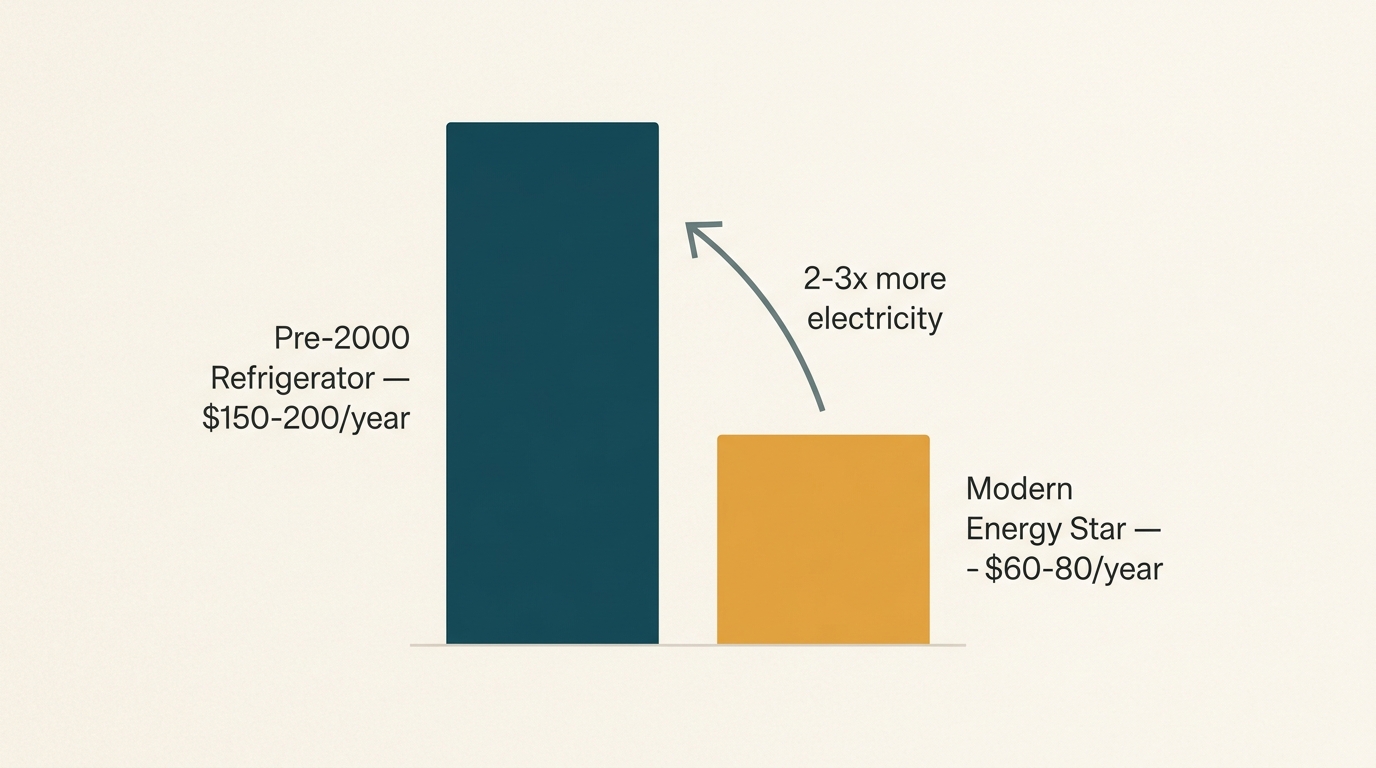
Your fridge isn’t a vampire, but its age and settings might be
The renter-friendly fix
First, determine whether you actually need the refrigerator.
- If it’s provided by the landlord and isn’t required under your lease, ask whether it can be disconnected or removed.
- If you’re responsible for its operation, measure its actual electricity consumption before making a decision.
This is exactly where an energy meter becomes essential. Instead of guessing which appliance is expensive, you can measure it directly. We cover the measurement approach in the toolkit section below.
Recommended tool for this fix:
- P3 P4400 Kill A Watt Electricity Usage Monitor : The industry-standard plug-in meter for measuring actual energy consumption.
The Renter’s Anti-Vampire Toolkit
You don’t need to buy an expensive home-energy system to start reducing standby electricity. Three inexpensive tools can make a significant difference, and all of them are portable, so you can take them with you when you move.
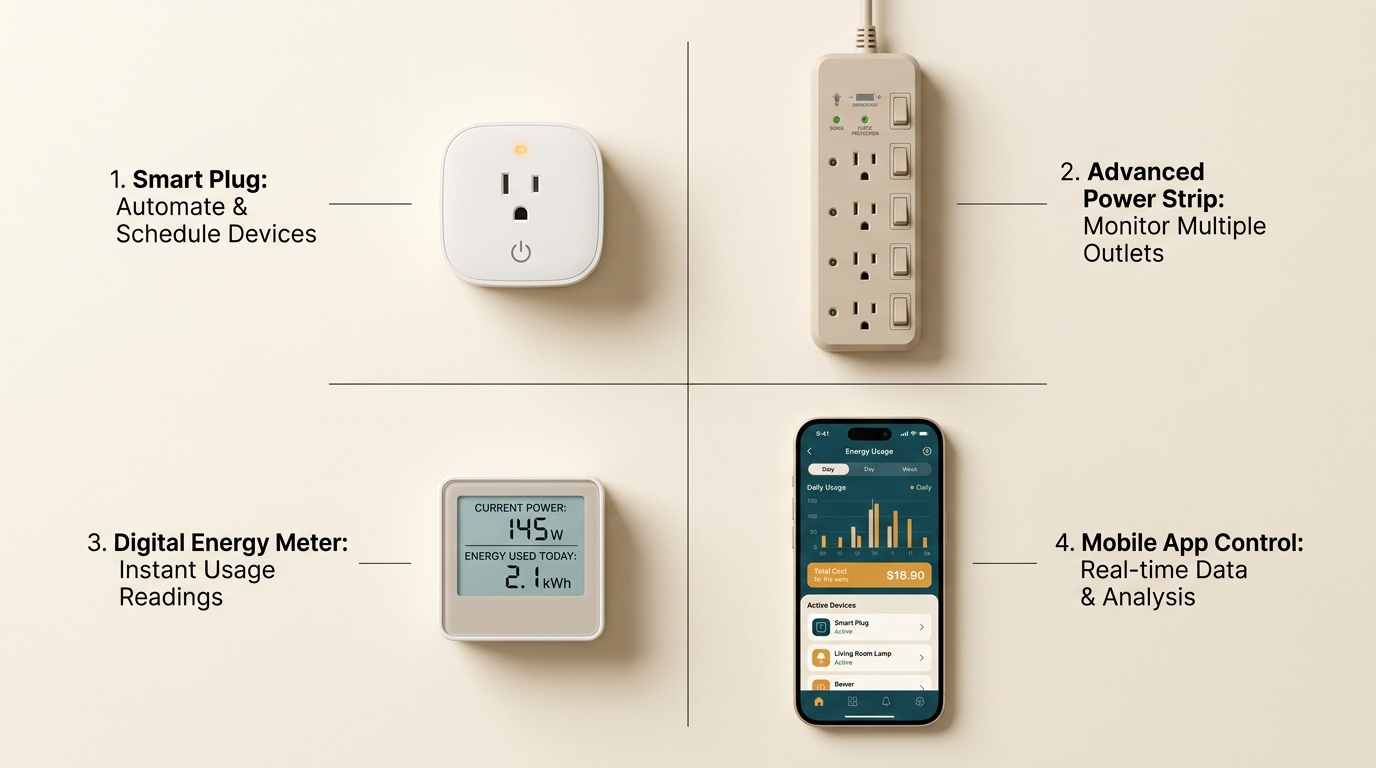
Your renter-friendly vampire power toolkit: smart plugs, power strips, and timers
1. Smart Plug With Energy Monitoring
Price range: $12–$25
Best for: Automation + real-time data
A smart plug is one of the most practical tools for renters because it doesn’t require permanent installation. Look for a model that offers:
- ✅ Scheduling (automate on/off times)
- ✅ Energy monitoring (see real-time consumption)
- ✅ Remote control via app
- ✅ Reliable Wi-Fi connectivity
- ✅ Compact design that doesn’t block adjacent outlets (critical in older apartments with tightly spaced outlets)
Product examples:
- Kasa Smart Plug KP405 (Energy Monitoring) : Compact scheduling and energy-monitoring features for renters.
- Wyze Plug (2-Pack) : Budget-oriented option for basic scheduling.
- Emporia Smart Plug (4-Pack) : An option for readers prioritizing energy monitoring and integration with the Emporia ecosystem.
For a complete comparison of smart plugs for renters, see our Best Smart Plugs for Apartments guide.
2. Advanced Power Strip
Price range: $20–$35
Best for: Computer and entertainment setups
An advanced power strip (also called a “smart power strip” or “master-controlled strip”) is particularly useful for a computer or entertainment setup. Instead of having your monitor, speakers, printer, chargers, and other accessories sitting in standby mode individually, you can manage several devices together.
These strips use a “master” outlet (usually for your computer or TV) to control “switched” outlets. When the master device turns off, the strip automatically cuts power to everything else.
Product example:
- Belkin Conserve Socket : A no-app option designed for simple power management.
3. Kill A Watt Meter (or Equivalent)
Price range: $20–$30
Best for: Auditing which devices are actually expensive
A plug-in electricity meter like the P3 P4400 Kill A Watt Electricity Usage Monitor takes a different approach. Instead of automatically controlling the appliance, it helps you measure the appliance’s electricity consumption.
This is valuable because the device you assume is expensive may not actually be the biggest problem. Rather than guessing, measure first.
How to use it: Plug the meter into the wall, plug your appliance into the meter, and let it run for 24 hours (or longer for more accurate results). The meter will show you total kWh consumed and estimated cost.
Recommended product:
🛒 Check Kill A Watt Price on AmazonHow Much Can Renters Actually Save?
There isn’t one universal number. The actual savings from eliminating vampire power depend on:
- The devices in your apartment
- How long they’re plugged in
- Their standby consumption
- Your local electricity rate (varies from $0.10/kWh in Washington state to $0.35/kWh in Hawaii)
But based on NRDC and DOE data, the total vampire power cost in a typical rental can reach $250–$400 per year.
The smartest approach is to identify the largest loads first. Start with devices that:
- Remain connected for long periods (24/7)
- Have meaningful standby consumption (>10W)
- Can safely be scheduled or switched off
- Don’t need to remain powered for essential functions
That approach gives you the best chance of getting meaningful savings without turning your daily routine into a constant exercise in unplugging appliances.
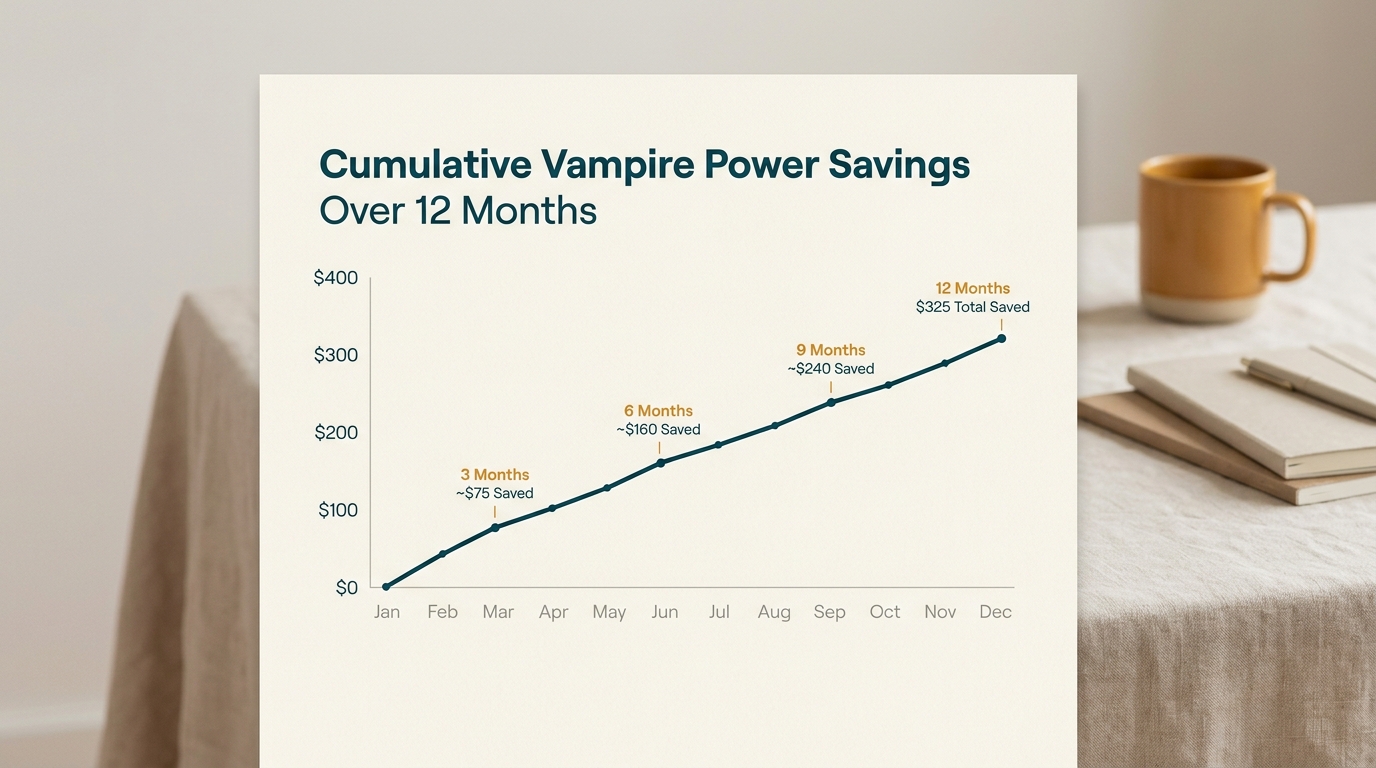
Potential annual savings: $100–$200 per apartment
Conclusion
Vampire power isn’t usually one enormous hidden expense. It’s the accumulation of devices that remain plugged in when you’re not actually using them.
For renters, the advantage is that many solutions are completely portable. You don’t need to replace the landlord’s appliances or make permanent electrical changes.
Your action plan:
- Identify the biggest loads in your apartment (start with the set-top box, gaming console, and old refrigerator).
- Measure with a Kill A Watt meter if you’re unsure which devices are actually expensive.
- Automate with smart plugs and advanced power strips for devices that can be safely scheduled.
- Verify by checking your electricity usage over the following month.
The first step is awareness. The second is measurement. The third is automation. Start with the devices that run the longest and consume the most, and then verify the result against your actual usage.
🛒 Start Measuring, Check Kill A Watt on AmazonNext step: If you want to measure before buying or changing anything, start with a plug-in electricity meter such as the P3 Kill A Watt or an equivalent meter.
Frequently Asked Questions
How much does vampire power cost renters per year?
Based on data from the NRDC and U.S. Department of Energy, the average rental unit loses $250–$400 annually to vampire power from devices like set-top boxes, gaming consoles, and old refrigerators. Individual costs vary based on the devices you own and your local electricity rate.
Can smart plugs really reduce electricity bills in apartments?
Yes, when used to disconnect devices that don’t need to remain powered. Smart plugs are particularly useful because they automate schedules and (in some models) show real-time energy consumption. However, actual savings depend on which devices you connect and how much standby electricity those devices use. A smart plug controlling a $130/year set-top box will save far more than one controlling a $5/year microwave.
Do landlords pay for vampire power or tenants?
Usually, the person responsible for the electricity bill pays for the electricity consumed. If you have an individually metered electricity account, standby electricity from devices inside your apartment will appear on your bill. If utilities are included in rent, the landlord absorbs the cost, but this is often factored into higher rent prices. Check your rental agreement for the specific arrangement.
Is vampire power the same as phantom load?
Yes. “Vampire power,” “phantom load,” and “standby power” all refer to the same phenomenon: electricity consumed by devices that are switched off or in standby mode but still plugged in.
What’s the easiest way to measure vampire power in my rental?
Use a plug-in electricity meter like the P3 Kill A Watt. Plug it into the wall, plug your appliance into the meter, and let it run for 24+ hours. The meter will show you total kWh consumed and estimated cost. This is far more accurate than guessing.
About This Article
WattDweller is a reader-supported publication dedicated to helping renters reduce energy costs without permanent modifications.
For information about how we develop and review content, see our Editorial Policy.
Sources: Energy information cited in this article comes from the sources linked throughout the article, including NRDC, the U.S. Department of Energy, Lawrence Berkeley National Laboratory, and Energy Star.
Last Updated: October 8, 2026
Related reading
- The Ultimate Guide to Smart Plugs: Automate, Save Energy, and Lower Your Bills
- Best Smart Plugs with Energy Monitoring for Apartments
- How to Use a Kill A Watt Meter: The Renter’s Guide to Finding Energy Hogs
- How to Read Your Apartment Electricity Bill (And Spot Overcharges Before You Pay)
- Best LED Bulbs for Renters: Brighten Your Apartment Without Rewiring
- Portable AC vs Window Unit: Which Is Better for Renters?